AI Renovation Preview: Show Buyers a Room's Potential
A tired kitchen scares buyers off. A renovation preview shows them what it could become — so they bid on the potential, not the dated finishes. Here's how, and the one rule you can't skip.
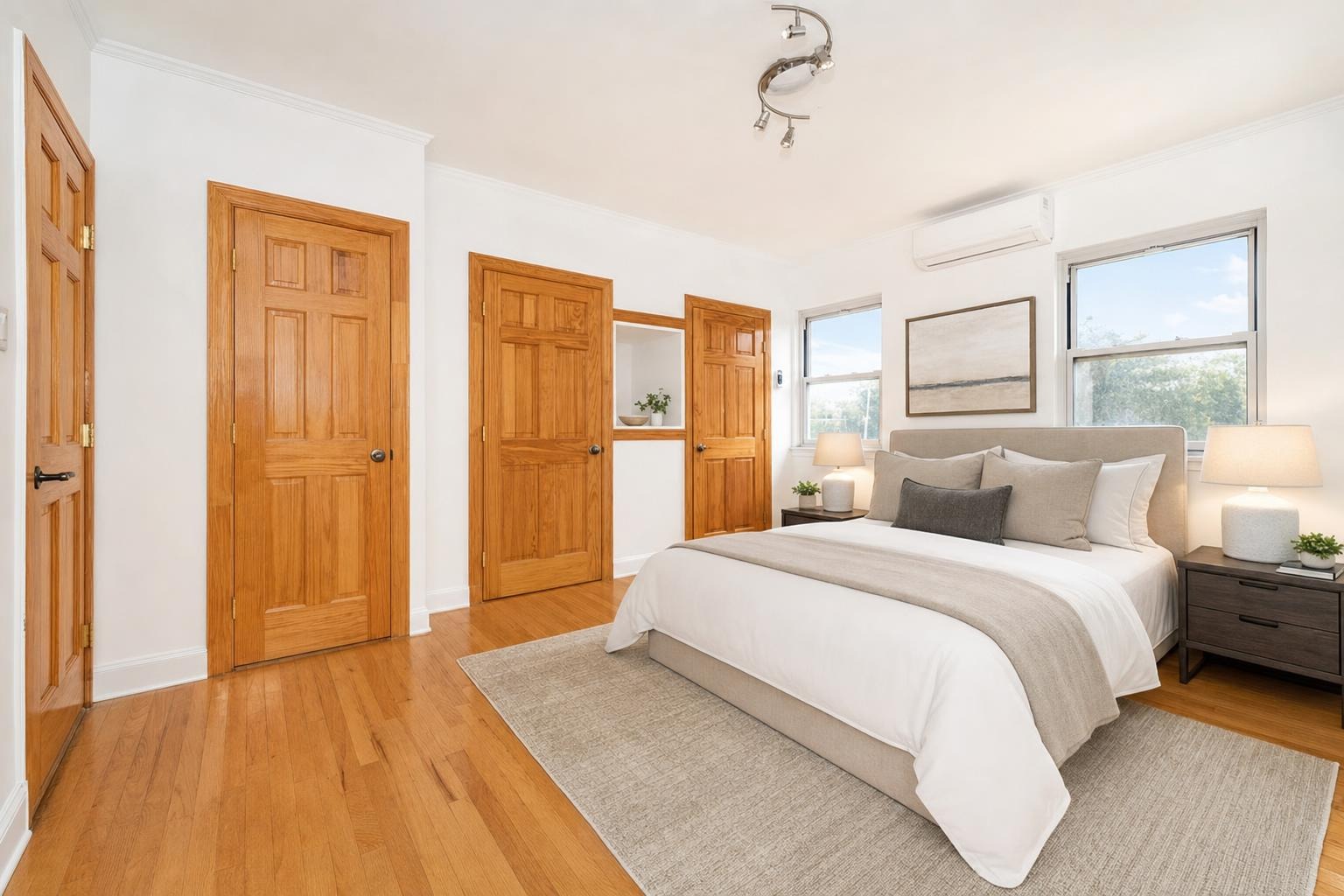
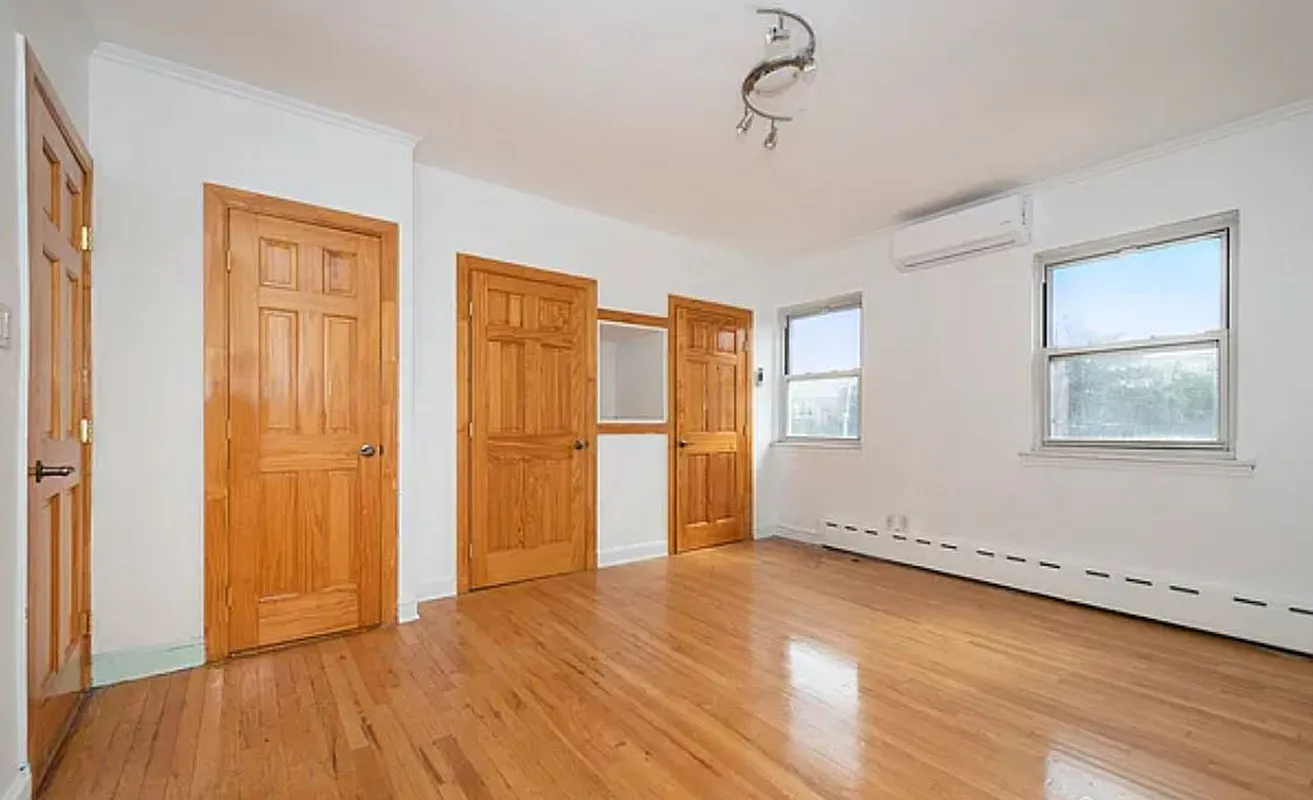 after
before
after
before
The short version
A renovation preview changes the finishes of a room rather than adding furniture to it: new counters, cabinets, floors and fixtures inside the same footprint. It is how you get buyers to bid on the potential instead of the dated kitchen, and it only works if you label it clearly every single time.
Some of the best deals in real estate are the ugly ducklings — the dated kitchen, the wood-paneled den, the bathroom with the pink tile. The problem is that most buyers can't see past what's in front of them. They walk into a tired room and mentally subtract, instead of imagining what a weekend and a contractor could do. An AI renovation preview closes that gap: it reimagines the room with fresh finishes — new cabinets, counters, flooring, paint — on the exact same layout, so a buyer sees the potential instead of the dated reality. Used honestly, it's one of the most persuasive tools a dated listing has. Used carelessly, it's a fast way to a fair-housing complaint. Here's both sides.
What a renovation preview actually does
Unlike staging, which adds furniture to an empty room, a renovation preview changes the finishes of the space. Feed it a photo of a dated kitchen and it can show that same kitchen with modern cabinet fronts, a new countertop, updated flooring, and fresh paint — the walls, windows, and footprint stay put. It's a visual answer to the question every buyer of a fixer-upper asks: "what would this look like done?"
Who it's for
- Flippers and investors marketing a property mid-rehab, or pitching the after to a buyer who'll finish it. Pairs naturally with staging photos for flips.
- Agents listing dated homes that are structurally sound but cosmetically stuck in another decade.
- Contractors and designers showing a client the before-and-after concept before a dollar is spent. See renovation photos for contractors.
- Wholesalers helping an end-buyer picture the exit.
The one rule you can't skip: disclose it clearly, every time.
A renovation preview shows a property in better condition than it's actually in. Presenting it as the current state is misrepresentation, and it can cross into fair-housing and MLS-rule territory. Always label it plainly — "renovation concept," "not the current condition" — and keep the real, unedited photos in the gallery too. The preview sells the vision; the honest photos keep you clean.
How to get a believable preview
- Shoot the room clean and level. A clear, well-lit photo of the existing space gives the AI honest geometry to renovate against.
- Keep the changes realistic to the home. A $2M-finish kitchen in a starter home reads as fantasy. Match the upgrade to the property's tier and buyer.
- Change finishes, not the floor plan. The most believable previews keep the layout and update surfaces. Moving walls invites skepticism.
- Don't over-promise. A clean, current update sells better than a flashy remodel a buyer knows they can't replicate for the price.
- Show it beside the real photo. A before/after pairing is more honest and, honestly, more persuasive than the after alone.
Preview vs. actual staging
It's worth being precise about the difference, because they solve different problems. Virtual staging furnishes an empty room so buyers can picture living there. A renovation preview updates the finishes of a dated room so buyers can picture it modernized. A vacant fixer-upper might use both: stage the empty rooms, preview the dated kitchen. If you're new to the category, start with how AI virtual staging works.
Try it in about 30 seconds
Stylst has a renovation mode built in: upload a photo of the space, choose renovate, and get a reimagined version back in about 30 seconds. It keeps the room's real layout and updates the finishes, so the preview is grounded in the actual space. Just remember the rule — label it as a concept and keep the honest photos in the set. Try a renovation preview, or compare tools in the best AI staging apps guide.
Questions people actually ask
What is the difference between a renovation preview and virtual staging?
Staging adds furniture to a room and leaves the room itself alone. A renovation preview leaves the layout alone but changes the finishes, so the counters, cabinets, floors and fixtures become what the space could be. They solve different problems: staging fixes an empty room, a preview fixes a dated one.
Is it legal to show a renovation preview on a listing?
Yes, provided you disclose it clearly and every time. A preview shows a room that does not exist yet, which is exactly the kind of image a buyer could be misled by, so it needs an unmistakable label on the image and in the description. Check your MLS rules as well, because some restrict altered photos more tightly than others.
How do I get a believable renovation preview?
Shoot the room clean, level and well lit before you start, because the preview inherits every problem in the original. Keep the footprint honest and do not ask for changes that would need walls moved. Then look hard at whether the windows, ceiling height and sightlines survived, since those are what tell a buyer the photo is of their actual room.