AI Virtual Staging: How It Works and How to Spot a Good Result
What the model actually does to your photo, and the tells of a bad stage.
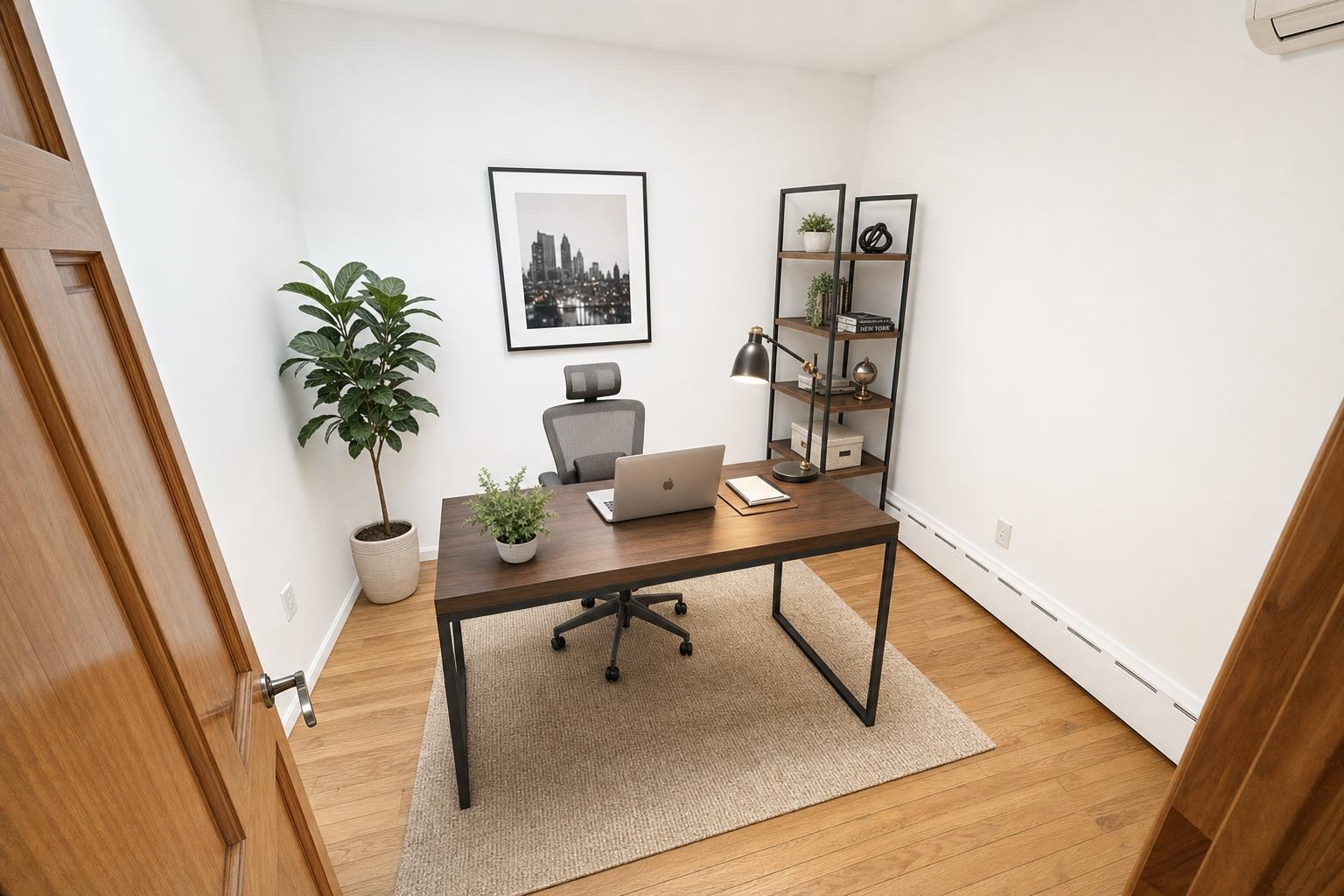
 after · staged
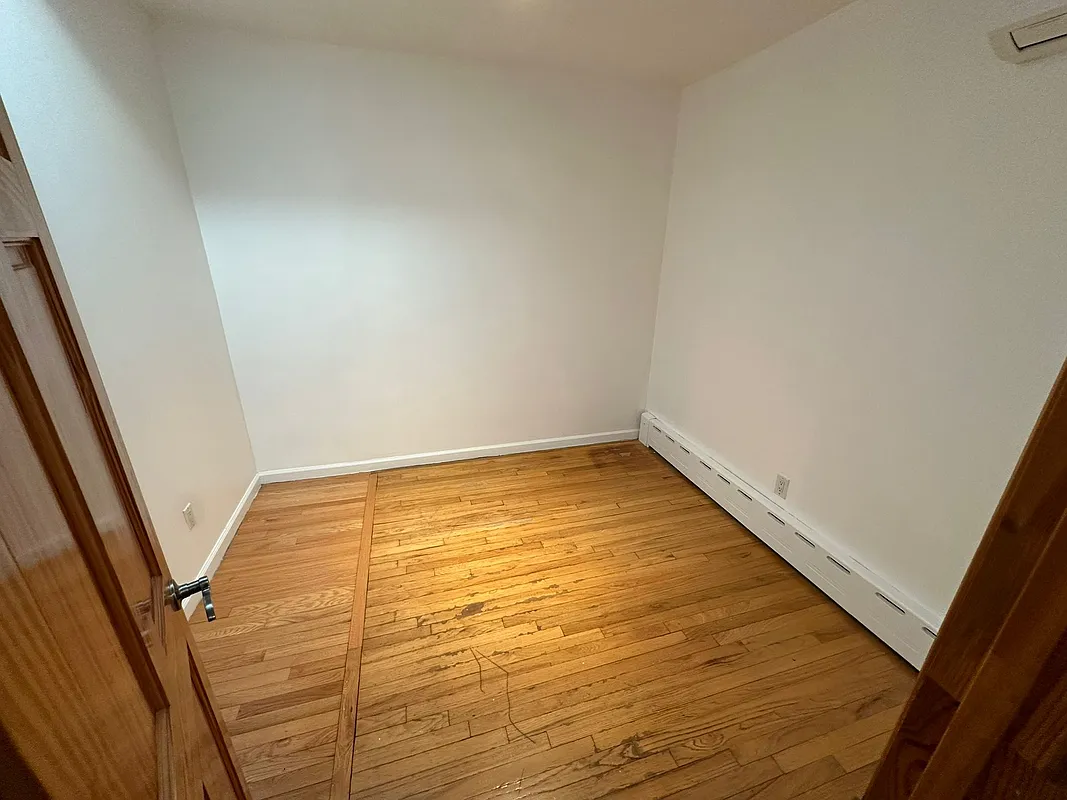
before
after · staged
before
The short version
The model reads your empty room's geometry, light and perspective first, then renders furniture into that specific space. The single quality that separates a good tool from a bad one is whether it preserves the real architecture or quietly redesigns the room while decorating it.
"AI virtual staging" sounds like magic, but underneath it's a fairly specific job: take a photo of an empty room and add believable furniture without breaking the room that's already there. Done well, a buyer scrolling the listing can't tell it apart from a professionally furnished home. Done badly, it's the uncanny-valley listing photo with a couch melting into the wall. Here's what's actually happening, and how to tell the two apart before you post.
What happens under the hood
When you upload an empty room, an image model has to understand the space before it can decorate it. In practical terms it does three things at once:
- Reads the surfaces and geometry. It identifies the floor plane, the walls, the ceiling, and where they meet — so it knows the room's perspective and vanishing points.
- Reads the light. It picks up where the light is coming from (the window, a fixture) and how bright the room is, so anything it adds can cast shadows in the right direction.
- Generates and renders furniture into that space. It then creates a sofa, rug, bed, or desk and places it on the floor plane at the correct angle and scale, matching the room's lighting.
The whole point is that the furniture is synthetic but the room is yours. That distinction is where good and bad tools split.
The big difference: preserve vs. redesign
The single most important quality in an AI staging tool is whether it preserves the real architecture — the walls, windows, floors, trim, and fixtures — or quietly redesigns the room while it's at it. Weaker tools regenerate the whole image, so the window moves, the hardwood becomes tile, the ceiling height changes, and a built-in disappears. The photo looks great in isolation, but it no longer shows the home a buyer will walk into.
That's not just sloppy; it's misleading, and it's the reason staging has to be disclosed. A buyer should be able to mentally subtract the furniture and see the actual room. If your tool changed the floor or the windows, they can't — and that's exactly the kind of thing MLS rules exist to prevent. (More on that in is virtual staging legal.) A good tool treats your photo as fixed background and only adds objects on top of it.
How to spot a good result
You don't need to be a designer to grade a staged photo. Look for these:
- Straight vertical lines. Wall corners, door frames, and window edges stay perfectly vertical — no subtle bowing or lean.
- Furniture at correct scale. A sofa is sofa-sized relative to the doorway and ceiling; chairs aren't doll-sized or giant.
- Everything sits flat on the floor. Legs touch the ground, rugs lie flat, nothing floats a few inches above the boards.
- Consistent shadows and light. Shadows fall away from the window, and the furniture's brightness matches the room's daylight.
- Architecture unchanged. Windows, doors, outlets, vents, and built-ins are exactly where they were in the original empty shot.
- Clean materials. No warped baseboards, no melted or repeating patterns on rugs and upholstery.
The tells of a bad stage
Bad output gives itself away fast once you know the signs:
- Bent or rippling walls where straight lines should be.
- Floating furniture that doesn't quite meet the floor, or casts no shadow.
- Furniture clipping through walls or a coffee table half-buried in the rug.
- Duplicated or smeared details — two outlets where there was one, a doubled window mullion.
- Impossible reflections in mirrors and glossy floors that don't match the room.
- Wrong scale — a king bed in a space that couldn't fit a twin.
Any one of these is a reason to regenerate or pick a different photo. Buyers notice them even when they can't name them; a photo that feels "off" gets scrolled past.
Speed and cost vs. a human designer
The other reason AI staging took over is the math. A traditional virtual-staging studio with human designers typically charges per room with a 24–48 hour turnaround and revision rounds. An AI tool returns a staged photo in about 30 seconds for roughly a dollar. For an 8-photo vacant listing that's the difference between a multi-day, multi-hundred-dollar order and a few minutes and a few dollars. We break the numbers down in virtual staging cost, and weigh AI against physical staging in virtual vs. traditional staging.
A 30-second checklist for every staged photo.
Before you post: are the walls and window frames straight? Is the furniture the right size and flat on the floor? Do shadows match the room's light? Are the windows, doors, and built-ins unchanged from the original? Any "no" — restage it. And label it as virtually staged on the MLS.
The bottom line
AI virtual staging works by understanding your empty room's geometry and light, then rendering furniture into it. The good tools stop there and leave your architecture alone; the bad ones redesign the room and mislead the buyer. Grade every result against the checklist above, keep the real layout intact, and disclose it — and you get furnished-looking photos in minutes for a fraction of a designer's price.
Stylst is built to keep your real layout while it stages — same walls, windows, and floor, just furnished. Upload a room and get a photo back in about 30 seconds, pay-as-you-go at around $1 a photo, on Google Play.
Questions people actually ask
How does AI virtual staging actually work?
The model has to understand the space before it can decorate it. It reads the room's geometry, where the light is coming from, the perspective lines and the scale, then renders furniture that sits correctly in that specific room. The output is a new image of your room rather than a furniture cutout pasted onto your photo.
How can I tell if a staged photo is any good?
Check four things. Do the walls, windows, doors and floors match the original exactly. Does the furniture sit flat on the floor with contact shadows. Is the scale right for the room. Does the lighting on the furniture match the light coming through the windows. If all four hold, the photo will pass on a portal.
What are the tells of bad AI staging?
Furniture that floats slightly above the floor or has no shadow under it, rugs that warp and bend where they meet a wall, reflections in windows and mirrors that do not match the room, sofas scaled like dollhouse furniture, and architecture that moved. A window that changed shape between the before and after is the loudest tell of all.