Is Virtual Staging Legal? MLS Disclosure Rules Explained
Yes — if you disclose it right. The rules every agent and seller should know before posting.

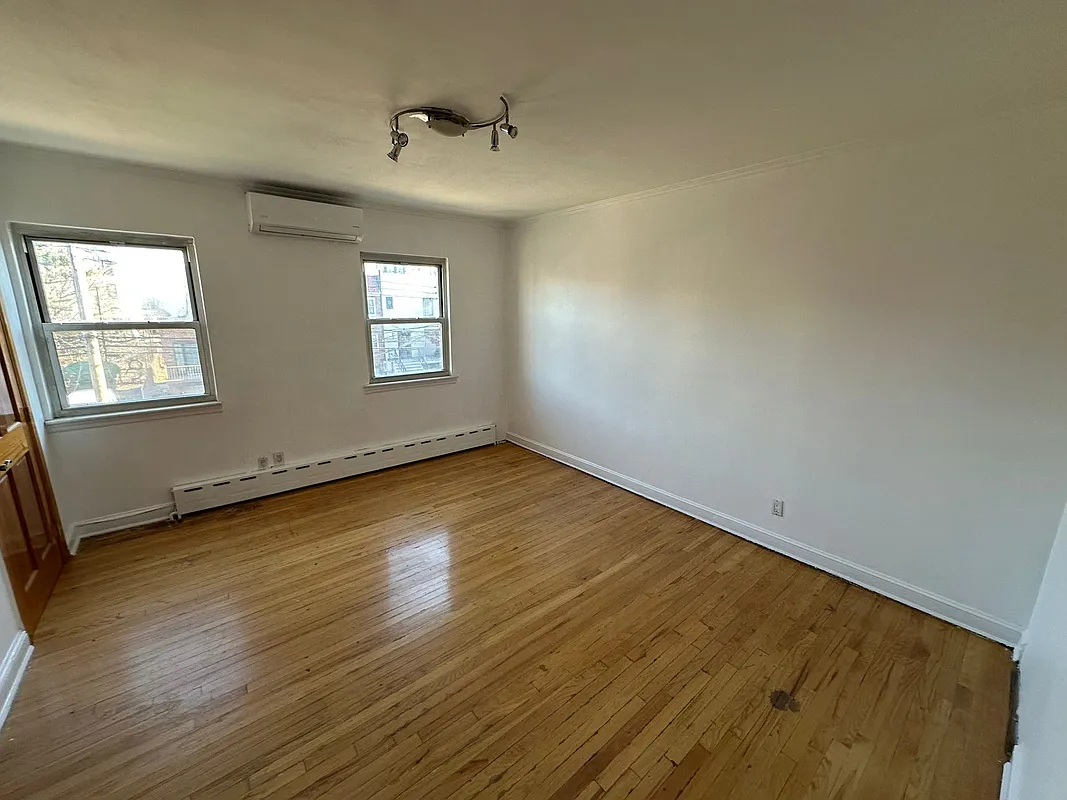 after · staged
before
after · staged
before
The short version
Virtual staging is legal, ethical and standard practice when you disclose it. Real estate advertising has to be truthful, so a photo showing furniture that is not in the house needs a clear label. The line that actually matters legally is that you may never conceal a defect or alter the property itself.
Short answer: virtual staging is generally permitted when it is accurate and properly disclosed. But there is no single nationwide MLS rule. State law, an MLS, a brokerage, and the destination portal can each impose different wording, original-photo, and edit requirements. Start with the concept here, then check the source-linked virtual-staging disclosure directory for the authorities that apply to your listing.
Where agents and sellers get into trouble isn't the staging itself — it's pretending it's real, or using the edit to hide something a buyer is entitled to see. Here's how to stay on the right side of it.
Why disclosure matters
Real estate advertising has to be truthful. A virtually staged photo that isn't labeled can mislead a buyer about what they're actually purchasing — the sofa, the rug, the lamp in the corner are not conveying with the house. That's the line between a helpful visualization and a misrepresentation.
Honesty in marketing isn't only good manners; it sits next to the same fair-dealing principles that run through fair-housing and consumer-protection rules. The expectation is consistent: present the property as it truly is. A clear label keeps the photo firmly in "here's what this room could look like" territory instead of "here's what you're buying," and that one distinction is what keeps you out of trouble.
Undisclosed staging invites exactly the problems you want to avoid:
- Buyer complaints and earnest-money disputes when the home doesn't match the photos.
- Ethics complaints to your local board or MLS.
- Erosion of trust — the fastest way to lose a referral pipeline.
Disclosure costs you nothing and removes all of that risk. It's the easiest compliance win in the business.
How to disclose virtual staging
There's no mystery to it. Two simple steps cover you on nearly every MLS and portal:
- Label the image. Add a visible caption or watermark on the photo itself that reads "Virtually Staged" (or "Digitally Staged"). Put it on every staged image, not just the first one.
- Note it in the listing remarks. Add a line in the public remarks or photo descriptions — something like "Select photos are virtually staged" — so the disclosure exists in text as well as on the image.
If you list on Zillow, Redfin, or Realtor.com, the same labeling carries through since most portals pull directly from the MLS — which is exactly why the watermark belongs on the image itself rather than only in a field that a portal might strip. When in doubt, over-disclose; nobody has ever been penalized for being too clear.
What virtual staging may do
Used honestly, virtual staging is just a faster, cheaper way to help buyers picture a space. Perfectly fair edits include:
- Adding furniture, rugs, art, and decor to an empty or sparse room.
- Decluttering — removing the seller's personal items and clutter so the room reads clean.
- Brightening and color-correcting a dim photo to how the room actually looks in good light.
- Showing a room's potential use — turning an empty bonus room into a clearly furnished home office or nursery.
All of this is about helping the buyer imagine living there, not deceiving them about the structure. That's exactly what AI virtual staging is built to do, and it's the same job a furniture truck does for traditional staging — only digitally.
What virtual staging must NOT do
This is the part that actually matters legally. Staging may dress a room; it may never rewrite the truth of the property. Don't:
- Hide or remove material defects — cracks in the walls or ceiling, water stains, mold, peeling paint, or damaged flooring. These are exactly what a buyer needs to see.
- Alter fixed features the buyer is paying for — don't swap dated countertops for new ones, change cabinetry, or replace flooring that isn't actually there.
- Fabricate views or square footage — no inventing a skyline out the window, no stretching a room to look bigger than it is.
- Change the structure — don't move walls, add windows, or remove a support column to make the space read better.
The rule of thumb: stage what's movable, never what's permanent. Furniture comes and goes; a cracked foundation does not.
One line, total coverage.
Label every staged photo "Virtually Staged" and add a note in the remarks. That single habit is the difference between a clean listing and a complaint.
Check your local rules
Disclosure is the universal standard, but the specifics vary. Individual MLSs and state real estate boards set their own rules on exactly how staged photos must be labeled — some require the watermark on the image, some require remarks text, some want both. Before you post, check your local MLS guidelines and the NAR Code of Ethics, Article 12, which covers truthful advertising and presenting an honest picture in your marketing.
One plain note: this article is general information, not legal advice — when a specific situation is unclear, confirm with your broker, MLS, or an attorney.
The bottom line
Virtual staging is legal, ethical, and standard practice when you disclose it. Label the photos, add a line to the remarks, stage only what's movable, and never paper over a defect. Do that and you get all the upside — a furnished-looking listing that stops the scroll — with none of the risk.
Before you publish, use the disclosure directory to check the controlling source and save the original photo with your listing file. Then stage a photo, review it for factual accuracy, and apply the exact disclosure your market requires.
Questions people actually ask
Is virtual staging legal?
Yes, in every US market, and it is standard practice. The requirement attached to it is disclosure: a photo containing furniture that is not physically present must be labelled so a buyer is not misled. Legality turns on honesty about what was added, not on whether editing happened at all.
How do I disclose virtual staging on the MLS?
Put a visible label on the image itself, commonly the words virtually staged, and repeat it in the listing remarks. The image label is the important half, because the photo gets syndicated, screenshotted and reshared away from your text, and the remarks do not travel with it.
What is virtual staging not allowed to do?
It must never conceal a defect or change the property. Removing water damage, cracks, a dated fixture that is staying, a road outside the window or a structural problem is not staging, it is misrepresentation, and it exposes you regardless of what label you attached. Add furniture, never subtract reality.
Sources
- NAR Code of Ethics, Article 12 — REALTORS shall be honest and truthful in their real estate communications and present a true picture in their advertising and marketing.