Does AI Virtual Staging Look Fake?
Bad AI staging absolutely does — floating sofas, melted windows, furniture the size of a dollhouse. Good AI staging is hard to catch. Here's the difference, and how to land on the right side of it.
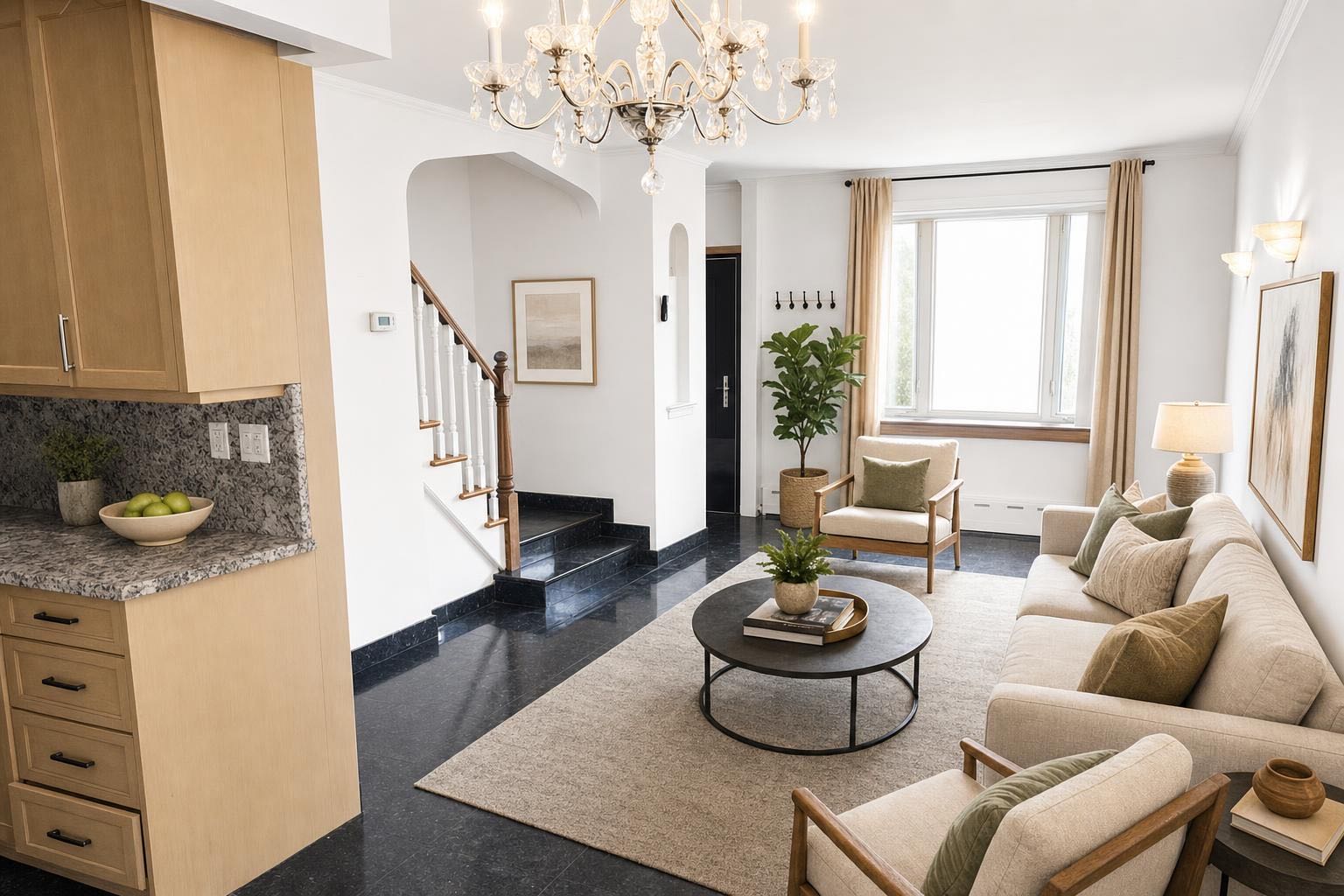
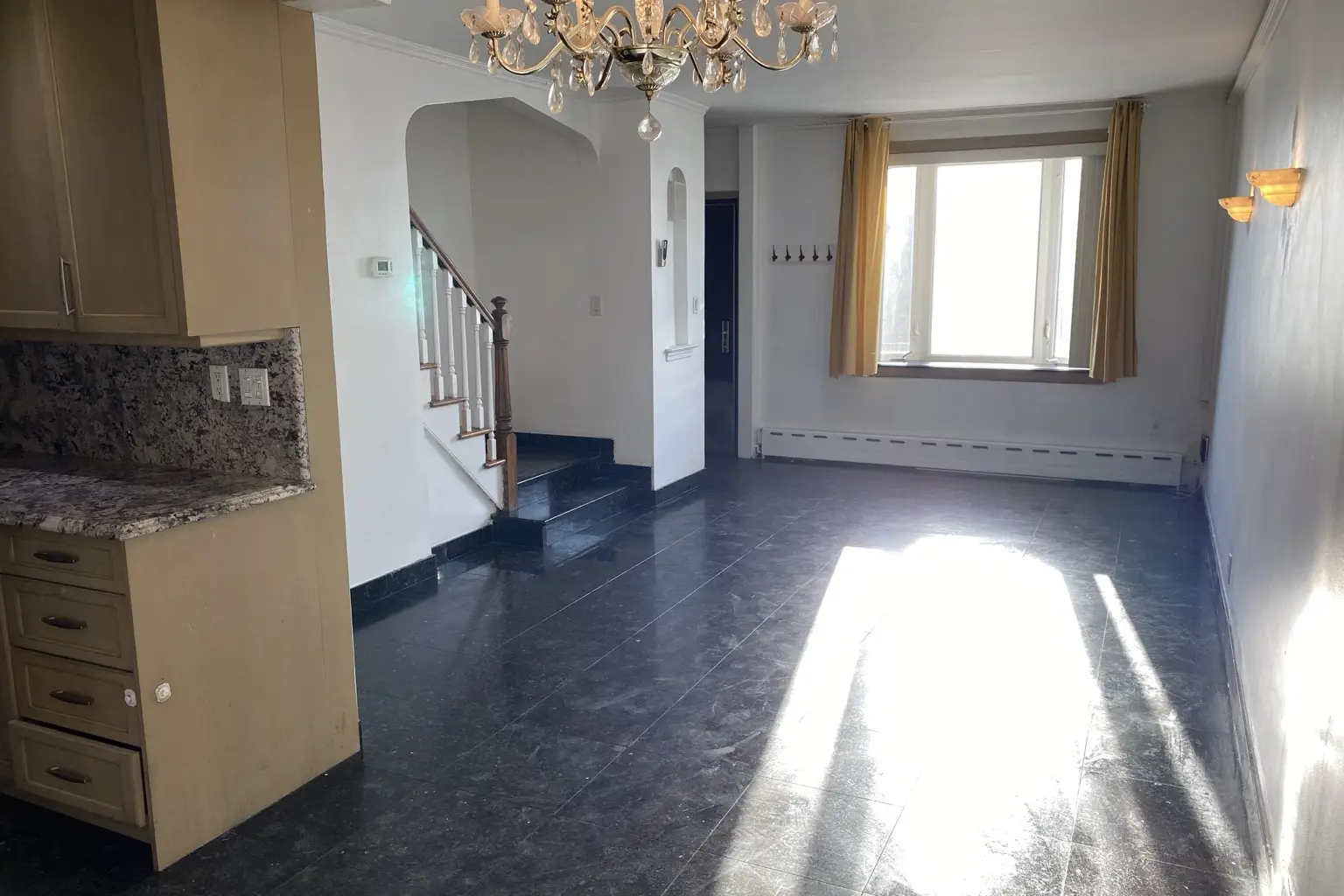 after · staged
before
after · staged
before
The short version
Bad AI staging looks obviously fake: floating sofas, warped rugs, melted window frames, furniture scaled like a dollhouse. Good AI staging is genuinely hard to catch, and the difference is one principle. Good tools stage the room you actually shot. Bad ones quietly invent a new room while decorating it.
It's the first thing people ask about virtual staging, and it's a fair worry: you've seen the bad ones. A couch clipping through a wall. A window that ripples like water. A rug that hovers an inch off the floor. So the honest answer to "does AI virtual staging look fake?" is it depends entirely on the tool and the photo you feed it. Cheap engines and bad input produce obvious fakes. Good AI staging on a clean photo is genuinely hard to distinguish from a professionally furnished room. This is what separates the two, and how to make sure your result lands in the believable column.
What makes AI staging look fake
Almost every "that's obviously edited" reaction traces back to one of these tells:
- Furniture that ignores the room. A sofa placed where a doorway is, or a bed floating in the middle of the floor — the AI added furniture without respecting the real geometry of the space.
- Warped lines. Windows, door frames, and countertops that bend or ripple. Straight architectural lines are where a weak model gives itself away.
- Wrong scale. A coffee table too big for the couch, or a dining set shrunk to fit — proportions that no real room would have.
- Impossible light. Furniture lit from a different direction than the windows, or shadows that fall the wrong way.
- Over-perfect everything. A showroom so flawless it reads as CGI. Real rooms have a little imperfection; the uncanny ones don't.
What good AI staging does differently
The tools that hold up share a single principle: they stage the room you actually shot instead of inventing a new one. Concretely, that means:
- It keeps the real architecture. Windows, walls, layout, and proportions stay exactly where they were. Only the furniture is added.
- It respects scale and placement. Furniture sits on the floor, fits the room, and leaves believable walking space.
- It matches the existing light. The added pieces are lit by the room's real windows, with shadows that agree.
- It shows restraint. A sensible amount of furniture in a coherent style, not a catalog crammed into one frame.
The single biggest factor is the photo you start with.
Even a great engine struggles with a dark, crooked, ultra-wide shot. A clean, level, well-lit photo gives the AI honest geometry to work with — and honest geometry is what keeps furniture from floating. Better input, more believable output. Every time.
How to get realistic results, every time
You control most of the realism before you ever hit "stage." A short checklist:
- Shoot straight and level. Hold the camera at chest height, keep verticals vertical, and avoid the most extreme wide angle. Our room photography guide covers the basics.
- Light it well. Open the blinds, turn on the lights, and shoot in good daylight. Dark input is where warping creeps in.
- Declutter first. An empty or tidy room gives the AI a clean canvas. Clutter competes with the added furniture and confuses the result.
- Match the style to the home. Farmhouse in a farmhouse, coastal near the water. A style that fits the architecture reads as real; a mismatch reads as staged.
- Don't over-stage. Pick a restrained look. The temptation to fill every corner is what tips a photo into fake.
- Review at full size and redo if a detail is off. Zoom in on windows and furniture edges. If something warped, reshoot or re-run — it's a dollar, not a studio invoice.
Can buyers tell? And should you tell them?
With a good result on a clean photo, most buyers can't tell a virtually staged room from a physically staged one at a glance — that's the whole point of doing it well. But "can they tell" is the wrong question to optimize for, because you're required to disclose it anyway. Nearly every MLS asks you to label a virtually staged photo, and a growing list of states mandates it. The goal of good staging isn't to fool anyone — it's to help a buyer picture the empty space as a home they'd live in. Disclose it in the caption, and a believable staged photo does its job honestly. See the disclosure rules by state.
Where Stylst lands
Stylst is built around the "stage the real room" principle. It keeps your windows, layout, and proportions intact, adds furniture that fits the space, and returns the photo at the exact aspect ratio you shot — so the before and after line up and nothing gets stretched. If a result isn't right, you re-run it in about 30 seconds. It's the difference between a photo a buyer trusts and one they squint at. See how it works under the hood in AI virtual staging explained.
The bottom line
Does AI virtual staging look fake? It can — if you use a weak tool or feed it a bad photo. But the fake look is almost always avoidable: start with a clean, level, well-lit shot, pick a tool that keeps the real room, choose a fitting style, and don't over-stage. Do that and you get a photo that looks like a room someone actually furnished, because in every way that matters, it is. Stage a photo and judge the realism yourself, or compare tools in the best AI staging apps guide.
Questions people actually ask
Can buyers tell if a photo is virtually staged?
With a good result on a clean photo, most buyers cannot tell at a glance, which is the point of doing it well. That is also exactly why disclosure matters: the reason to label a staged photo is not that it looks fake, it is that it looks real enough to mislead someone who is not told.
Why does some AI staging look so obviously fake?
The tells are consistent. Furniture that floats slightly or casts no contact shadow, rugs that bend where they meet a wall, reflections that do not match the room, scale that is wrong for the space, and architecture that shifted between the before and the after. Almost all of it comes from a tool redesigning rather than preserving.
How do I get realistic virtual staging results?
Most of the realism is decided before you stage anything. Shoot the room straight and level, get it as bright as you can, clear the clutter for real, and give the tool an unambiguous photo of a single room. A crooked, dim, cluttered original produces a crooked, dim, oddly furnished result.