How Interior Designers Use AI Staging to Preview a Concept
Show the client the room before you source a single piece. AI staging as a fast, cheap concept preview.
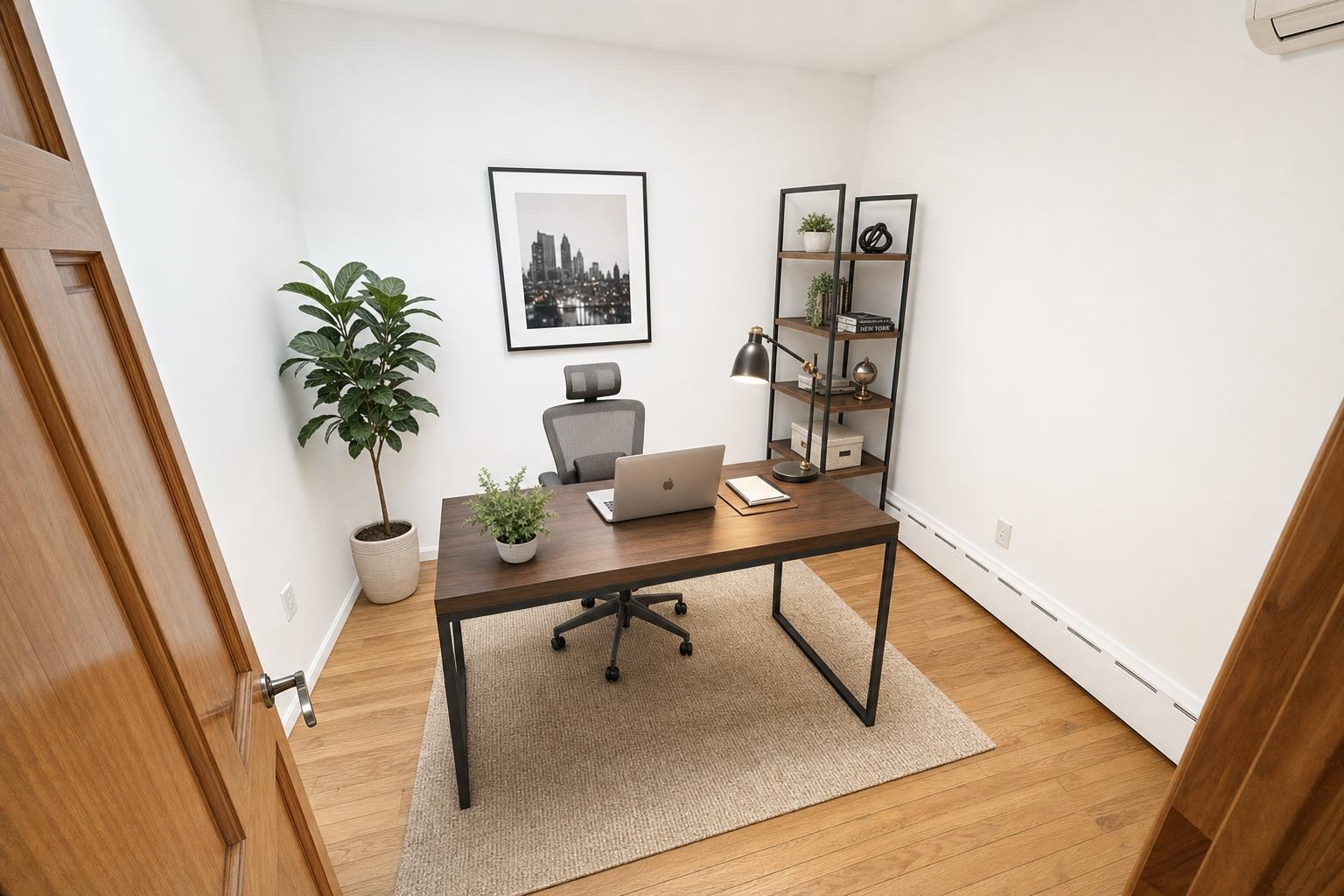
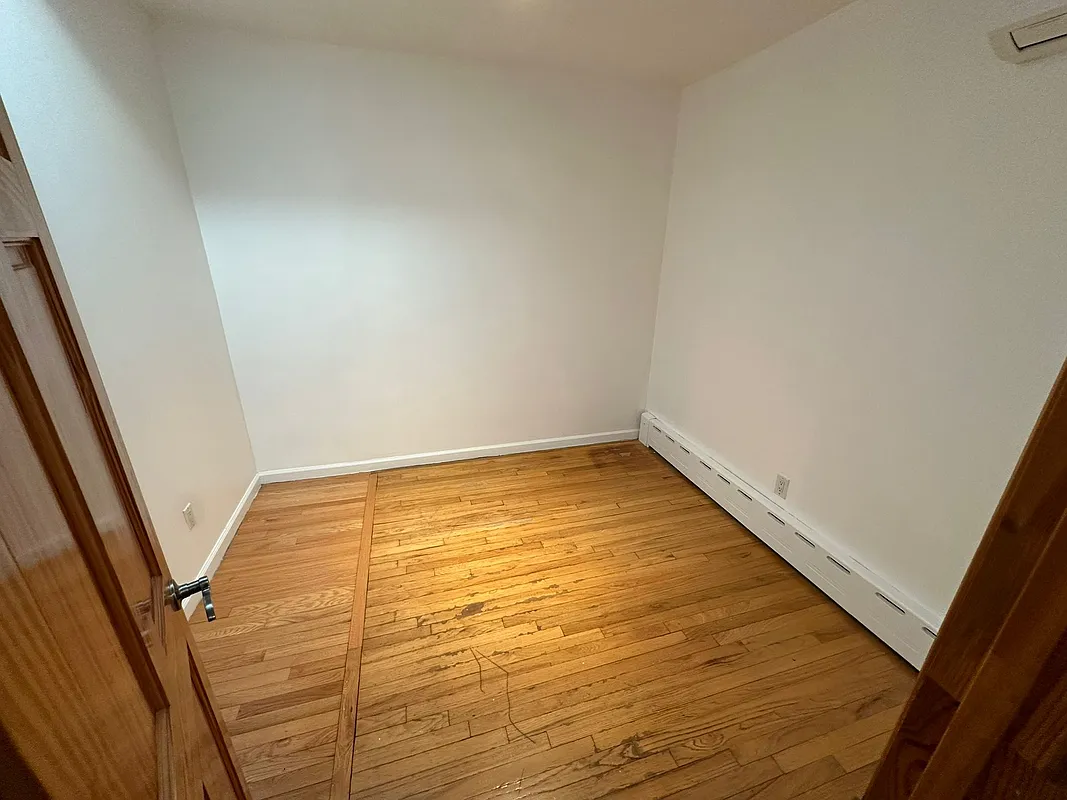 after · staged
before
after · staged
before
The short version
For a designer, AI staging is a concept preview, not a shopping list. It shows a style, a palette and a general arrangement on the client's actual walls in an afternoon rather than weeks, which is enough to settle a direction before you source a single piece. Be direct with clients about that limit.
A mood board asks a client to imagine the result. A photorealistic preview of their own room, in a specific style, closes the gap between "I think I like that" and "yes, do that." Interior designers are increasingly using AI staging tools the same way real estate agents use them — not as the final design, but as a fast, cheap way to get a client to commit to a direction before any sourcing begins.
What this is (and isn't)
Be direct with clients about the limitation: an AI-staged preview shows a style, a palette, and a general furniture arrangement — it isn't a shopping list, and it won't reproduce the exact SKUs, custom millwork, or fabricated pieces a real design engagement delivers. What it does well is answer the question that stalls a lot of projects: does this direction actually work in this room? That's a communication tool, not a substitute for design work.
Style exploration in an afternoon, not weeks
Running the same room through several style directions — Modern, Scandinavian, Coastal, Farmhouse, Luxury — lets a client compare options side by side in a single sitting instead of waiting on hand-rendered concepts over several weeks. 7 interior design styles for listing photos covers the same style vocabulary from the real estate side; the same logic works for a client consultation.
Use it live, not just after the meeting.
The highest-value moment for this isn't a follow-up email — it's during the walkthrough itself, when a client is standing in the room asking "what would this actually look like?" A photo taken on the spot and staged in about 30 seconds answers that question while the conversation is still happening.
Where it overlaps with real estate
Designers who work staging jobs alongside agents — prepping a listing, refreshing a room before photos — are already adjacent to this workflow. Virtual staging for real estate agents covers the listing side, and AI virtual staging: how it works explains what the model is actually doing to the photo and the tells of a result that isn't good enough to show a client.
Cost against a full visualization service
A dedicated 3D rendering or visualization service can run well into the hundreds per room. A quick AI-staged preview costs a few dollars and takes a minute — it won't replace a full rendering package for a high-end presentation, but it's the right tool for the fast, early-stage "does this direction work" conversation. See virtual staging cost for the broader comparison.
Where Stylst lands
Run the same room through multiple styles for a proposal deck, all pay-as-you-go with no subscription — useful for a designer testing directions across several client rooms in the same week. Stage a photo to try it on your next consultation.
The bottom line
A concept a client can see on their own walls sells faster than one they have to imagine from a swatch. Use AI staging as the fast, early preview that gets a direction approved — then do the real design work to make it real.
Questions people actually ask
Can interior designers use AI staging for client concepts?
Yes, as a fast direction-setting tool. Running a client's actual room through several style directions lets them compare options side by side in one sitting, which is the conversation that otherwise takes weeks of mood boards. It is a preview of a feeling, and it works best when framed that way.
Is an AI-staged preview a substitute for a rendering?
No, and clients need to hear that plainly. A preview shows a style, a palette and a general furniture arrangement. It will not reproduce a specific sofa you intend to specify, it carries no dimensional accuracy, and it is not a procurement document. A 3D visualisation service does that job and charges accordingly.
How does the cost compare to a 3D rendering service?
A dedicated rendering or visualisation service commonly runs into the hundreds per room, which is appropriate for what it delivers and prohibitive for exploring six directions. AI staging is cheap enough to use exploratively, which changes what it is for: narrowing the options before you pay for the render that matters.