Virtual Staging App for Your Phone: iPhone and Android Workflow
Most virtual staging keeps you tied to a desktop. A phone app lets you shoot the room and stage it before you leave the property. Here's how, start to finish.
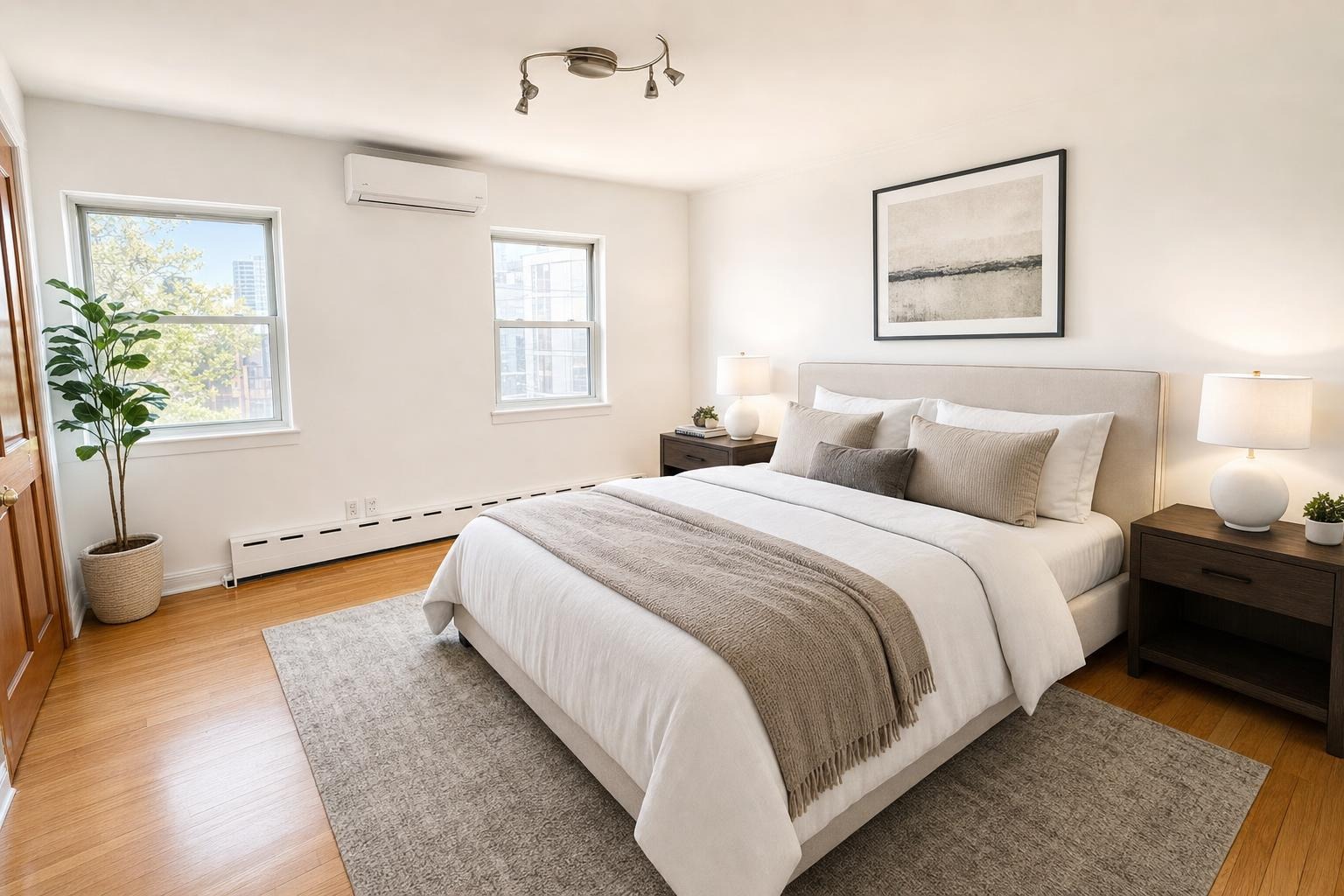
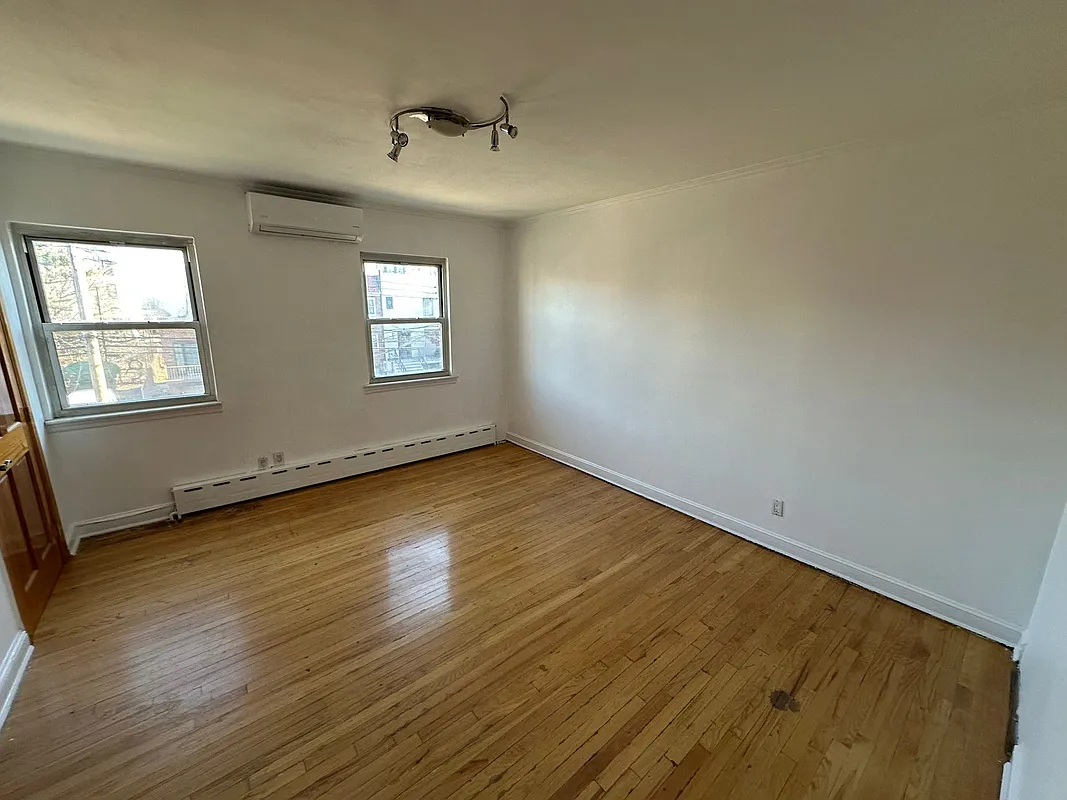 after · staged
before
after · staged
before
The short version
Many virtual staging tools are built around a desktop workflow. A phone-native app lets you shoot the room and stage it before you leave the property, changing the job from something you take home to something finished during the walkthrough.
Phone staging means completing the full job on iPhone or Android: capture or select a room photo, choose the edit, review the result against the original, revise if needed, and save the final image. A desktop is optional. For an agent doing a listing walkthrough, that can turn a task for later into one finished at the property.
Phone staging vs a desktop workflow
| Step | Phone app | Desktop workflow |
|---|---|---|
| Capture | Use the camera already in your hand | Shoot first, transfer later |
| Upload | Choose directly from the camera roll | Move files to a computer |
| Review | Compare while you are still in the room | Review after leaving the property |
| Correction | Reshoot immediately if framing is wrong | May require a return visit |
Why phone-native beats web
Many virtual staging tools assume you will finish the job at a computer. A phone-first app changes what's possible:
- One trip, not two. Shoot and stage at the property. No "I'll do the photos back at the office."
- No transfer step. The photo never leaves your phone to get to a laptop — you shoot and stage in the same device.
- Instant turnaround. AI returns the staged photo in about 30 seconds, so you can send it or post it on the spot.
- It's where your camera already is. Your phone is the best camera you carry. Staging where you shoot removes every step in between.
Stage a photo from your phone, step by step
- 1. Shoot the room. Stand in a corner, hold the phone level at chest height, and get as much of the room in frame as you can. A clean, straight shot stages best — our room photography guide covers the basics.
- 2. Pick a style. Modern, Scandinavian, Coastal, Farmhouse, Luxury, Midcentury — choose one that fits the home.
- 3. Stage it. The app furnishes the empty room, keeping your windows, walls, and layout exactly where they are. About 30 seconds later, the staged photo is back.
- 4. Review and revise. Compare the result with the original. Use a reroll or a point-specific change when something needs another pass.
- 5. Download and disclose. Save the final image to the camera roll, keep the original beside it, and apply the disclosure required by the MLS, portal, or jurisdiction.
The quality doesn't drop because it's on a phone.
A good phone app stages the real room — it keeps your windows and proportions, matches the output to the exact aspect ratio you shot, and returns a full-resolution image. Convenience and quality aren't a trade-off here; you get both.
Who this is for
- Agents staging during a listing walkthrough instead of after it.
- FSBO sellers who don't have a photographer on call and want a professional-looking gallery from their phone.
- Investors and property managers turning units fast, staging vacant rooms between tenants.
- Anyone shooting on an iPhone already — see iPhone listing photos for getting the most out of the camera.
Get the app
Stylst is a virtual staging app for iPhone and Android. Shoot a room, pick a style, and get a staged photo back in about 30 seconds. Choose pay-as-you-go credits or a monthly plan; the first phone-app photo is free where available. It keeps the real room and matches your shot's aspect ratio, so what you download lines up with what you took. Download it on the App Store or Google Play, or stage a photo on the web.
Questions people actually ask
Can you virtually stage a photo from a phone?
Yes, end to end. Photograph the room, pick the room type and a style, and the staged image comes back in about 30 seconds without a desktop involved. The quality does not drop because it happened on a phone, since the work happens on a server either way and the phone is just the camera and the screen.
Why does a phone app beat a browser tool?
Because of when it lets you work. A browser tool assumes you are at a desk, which means the staging happens after the walkthrough, in the evening, as a separate task. A phone app means the photos are shot, staged and ready before you have left the property.
Who benefits most from staging on a phone?
Agents staging during a listing walkthrough rather than after it, FSBO sellers who have no desk workflow at all, investors moving between properties, and contractors and hosts photographing on site. Anyone whose work happens somewhere other than at a computer gains more from this than the feature list suggests.