Virtual Staging in New Zealand: Trade Me Property, OneRoof and the Rules
Three portals, one hero image, and a deck that is doing more selling than any room in the house. What actually works here, and where the line is.
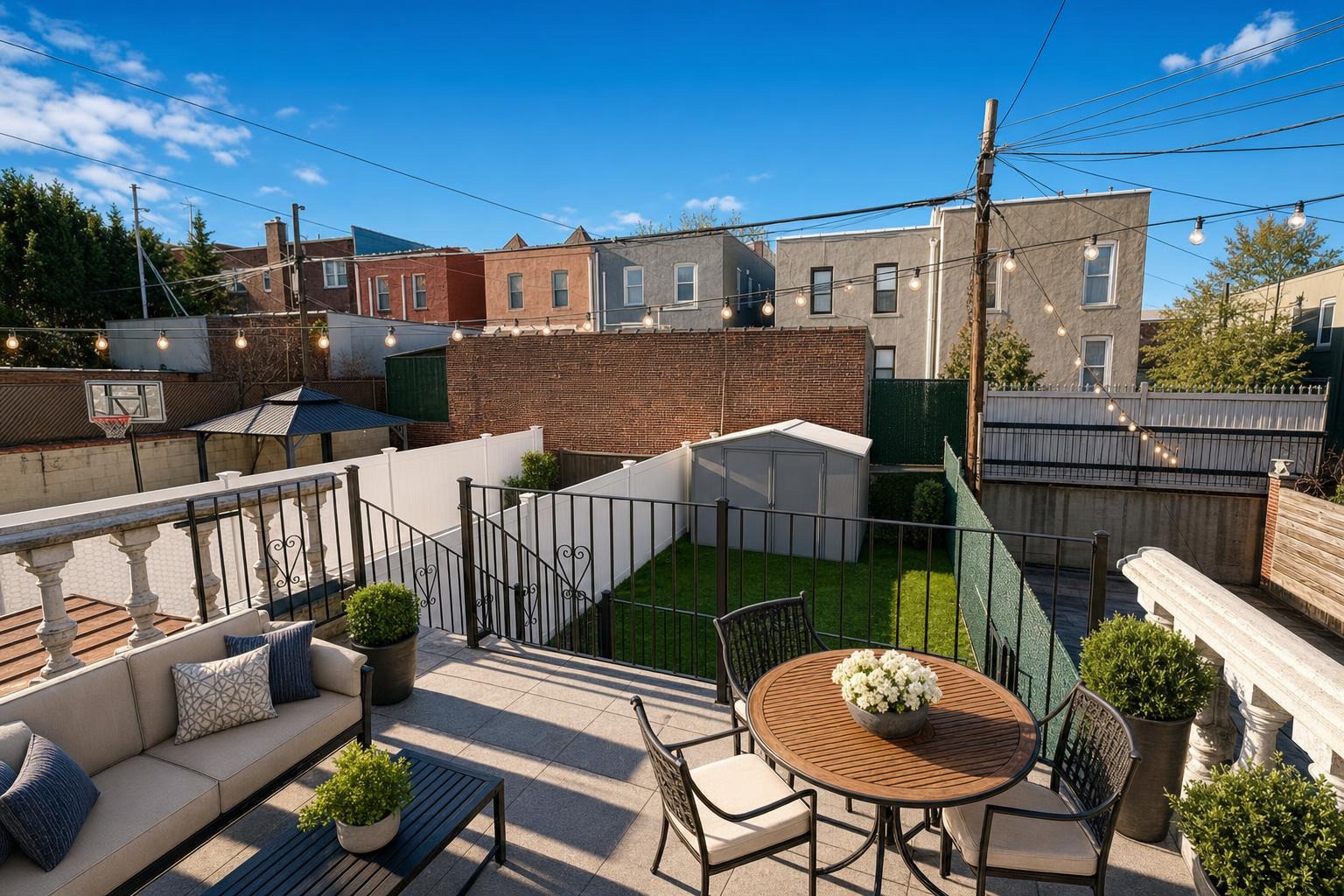
 after · staged
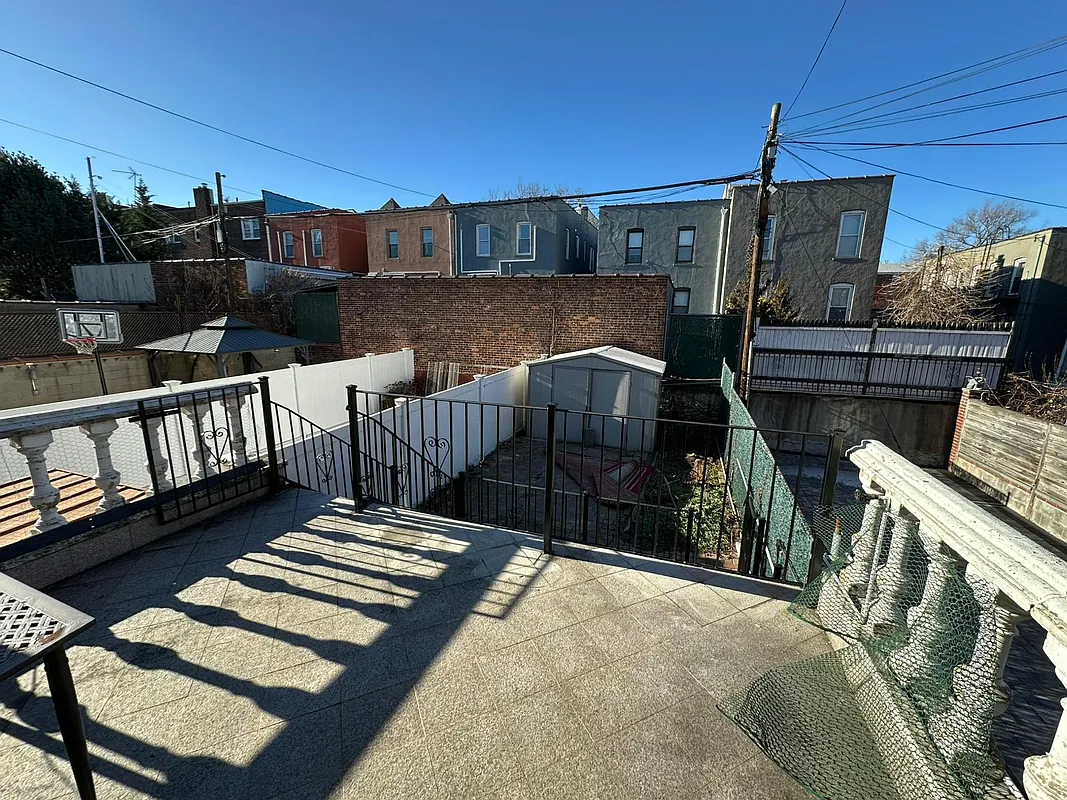
before
after · staged
before
The short version
Three portals, one hero image, and a deck that is doing more selling than any room in the house. Indoor-outdoor flow is what New Zealand listings actually sell, the light and the seasons work against you, and the honest reading of the rules is to label anything you added.
A New Zealand buyer meets your listing on a phone, at night, in bed. It is on Trade Me Property because Trade Me is where the country already goes to buy things. It is on realestate.co.nz because that is the industry's own site. It is on OneRoof because they read the news and OneRoof is sitting inside it. Same property, three feeds, and in every one of them the buyer sees the same thing first: one photograph, a price line, a suburb.
That photograph is the listing. Everything else is what happens after it works.
Three portals, one hero image
Agents here list across all three and argue about which one delivers. It is a mostly pointless argument from a photography point of view, because the decision each portal is asking the buyer to make is identical: tap, or keep scrolling. Paying for a feature or premium placement does not change that decision. It just puts the same thumbnail in front of more people, faster. If the thumbnail is a beige empty lounge shot on an overcast Tuesday, you have paid to show more people a beige empty lounge.
So the useful question is not which portal to optimise for. It is whether the first frame survives a thumb moving at speed.
The deck is not a bonus shot
Indoor-outdoor flow is the thing New Zealand listings actually sell. The ranch slider, the deck off the living room, the sun. Buyers here read a floor plan through it: where does the living space go when the doors are open, and does the sun get there.
Which makes an empty deck a genuinely expensive mistake. A bare timber deck photographs as a bare timber deck — grey boards, a railing, some lawn. Put a table, four chairs, an outdoor lounge and a bit of soft light on it and the buyer suddenly understands the summer they are being sold. Same deck. Same house. The furniture is doing the explaining that the boards cannot do on their own.
Same logic on a courtyard or a townhouse patio. If it is the outdoor living space, it has to look like living space.
The light and the seasons work against you
New Zealand light is hard. It is clear and it is contrasty, so a room with a big north-facing window — the sunny side, down here — gives you a blown-out window and a dark corner in the same frame. And the photo day is whenever the vendor is free, which usually means flat cloud.
And the calendar is upside down. A listing photographed in July is a winter photo: low sun, bare garden, a deck nobody would sit on. Summer means January. So when a buyer scrolls a listing in the depths of a Wellington winter and sees a grey, shadowed exterior, they are not being shown the property — they are being shown the weather on the day someone happened to turn up with a camera.
- Enhance is the workhorse here. It is a professional edit — brighter, colour-corrected, straightened — and it adds and removes nothing. It is what rescues the flat-overcast shot.
- Day to dusk turns a 2pm street elevation into a golden-hour frame. Strong on a west-facing facade, and the single fastest way to make a mid-winter exterior look like somewhere you would want to live.
- Stage is for the empties: the vacant rental between tenancies, the deceased estate, the new townhouse that has never had a stick of furniture in it.
- Declutter keeps the vendor's real furniture and clears the bench clutter, the washing, the shoes at the door. No awkward conversation about their couch required.
A staged photo has to say that it is staged.
Virtual staging shows a buyer what a room could hold. It must never make an empty room look furnished without saying so, and it must never remove a defect — not the crack, not the stain, not the mould in the corner of the bedroom. The tighter a market's disclosure norms are, the more that matters, and New Zealand's are not loose. The test is simple and it has nothing to do with the law: if you would not say the sentence out loud at an open home, do not let the photo say it for you. More on the general framing in is virtual staging legal?
What the rules actually are, in plain terms
This is a blog post and not legal advice, so here is the conservative version, which is also the correct one.
Licensed agents in New Zealand answer to the Real Estate Authority, and the profession's code of conduct — the professional conduct and client care rules made under the Real Estate Agents Act — is built on a straightforward idea: you must not mislead a customer or a client, and you must not withhold information that ought in fairness to be provided. The REA has publicly reminded licensees to take care with AI tools, keep human oversight over what comes out of them, and make sure marketing images remain a true representation of the property.
Sitting over the top of all of that is the Fair Trading Act, which prohibits misleading and deceptive conduct in trade, including in connection with the sale of land, and which the Commerce Commission enforces. A photograph is a representation. You do not need to have intended to mislead anyone for a misleading representation to be a problem.
Put those together and the operating rule writes itself:
- Label it. Say it in the caption and in the listing copy: virtually staged, furniture digitally added, indicative only. Nobody minds. Buyers are used to it.
- Keep the honest original. Hold on to the unedited shot so the property's real condition is available and you are never guessing about what changed.
- Never touch a defect. Adding a sofa is a visualisation. Deleting a water stain is concealment. Those are different acts and only one of them is fine.
- Check the current position yourself. Confirm the requirements with the REA and with your own agency's policy, and check the portals' own listing rules — they can be stricter than the baseline, and they change.
None of this is a burden. It is a caption. The agents who get into trouble are not the ones who staged a photo — they are the ones who staged it quietly.
The stock you are actually shooting
The New Zealand run is fairly predictable and each type has a tell:
- The weatherboard villa. Beautiful bones, dark hallway, one room being used for storage. Declutter the lived-in rooms; stage the junk room back into the bedroom it is on the floor plan.
- The new townhouse. Empty, small, and it photographs as a white box. Staging is what gives a buyer scale — enough furniture to prove a real bed and a real sofa fit, and no more.
- The seventies brick and tile. Fine house, dated interior. Enhance fixes the light, and if the kitchen is what is holding it back, a renovation preview shows the room remodelled on the same footprint — new counters, cabinets, floors — so the buyer prices the work instead of walking away from it.
- The investment property between tenancies. Vacant, scuffed, and on the market in a hurry. This is the highest-value staging on your whole book.
Where Stylst lands
Stylst is a phone app and a web app. Photograph the room, the deck or the street elevation, pick the room type and a style, and a portal-ready photo comes back in about 30 seconds. The tools are Stage, Enhance, Declutter, Day to dusk, and Renovation preview. Styles run Modern, Midcentury, Scandinavian, Luxury, Coastal, Farmhouse, plus an Original setting that only brightens and declutters and adds no furniture at all.
It is roughly a dollar a photo, pay-as-you-go, no subscription required. Packs are 10 for $16.99, 30 for $44.99, and 100 for $129.99 — about a dollar a photo at the top pack. Those prices are set in US dollars, but checkout is presented and settled in your local currency, so a Kiwi buyer is charged in NZD at the day's rate rather than doing conversion arithmetic in their head. The full breakdown is in what virtual staging costs.
Your first photo is free. On the web that free photo comes back with a watermark across it until your first purchase, at which point that same photo unlocks permanently — we would rather show you the real output and be upfront about the catch than hand you a demo you cannot use (why the watermark is there). In the iPhone and Android apps the first photo is free with no watermark and no account at all. If you work the Tasman too, the auction-campaign version of all this is in virtual staging for Australian agents.
Questions people actually ask
Do I have to disclose virtual staging in New Zealand?
Treat it as yes: label it. The governing principle in New Zealand is that marketing must not mislead a buyer, so a photo containing furniture that is not in the property should be clearly identified as virtual staging or a digital representation. Confirm the current requirements with the Real Estate Authority and your own agency policy before you publish.
Which New Zealand property portal should I optimise the photos for?
All of them, because the same hero image is doing the work on each. Trade Me Property, realestate.co.nz and OneRoof all present a listing to a buyer as one thumbnail, a price line and a suburb, so the lead photo carries the click no matter which app the buyer happens to have open.
How much does virtual staging cost in New Zealand dollars?
Stylst is roughly a dollar a photo, and although the packs are priced in US dollars, checkout is presented and settled in your local currency, so a New Zealand buyer is charged in NZD at the day's rate. Packs run from 10 photos for $16.99 up to 100 photos for $129.99, which works out to about a dollar a photo at the top pack.
Can virtual staging fix a damp patch or a cracked wall?
No, and it must not try. Staging adds furniture a buyer can imagine, and Declutter removes clutter like laundry and mail, but neither removes a defect, because a photo that quietly erases a problem is the photo that blows up at the building report.
The bottom line
New Zealand buyers are shopping three portals with one thumb, and they are buying the sun and the deck as much as the house. Stage the empties, declutter the lived-in ones, furnish the outdoor space, fix the winter light — and then write the word virtually staged under the photo, because the disclosure costs you nothing and the alternative costs you everything. If the photo needs to hide something to work, it was never going to work.