Wide-Angle Real Estate Photos Without the Distortion
Wide enough to show the room, not so wide it warps it. How to use a wide lens honestly.
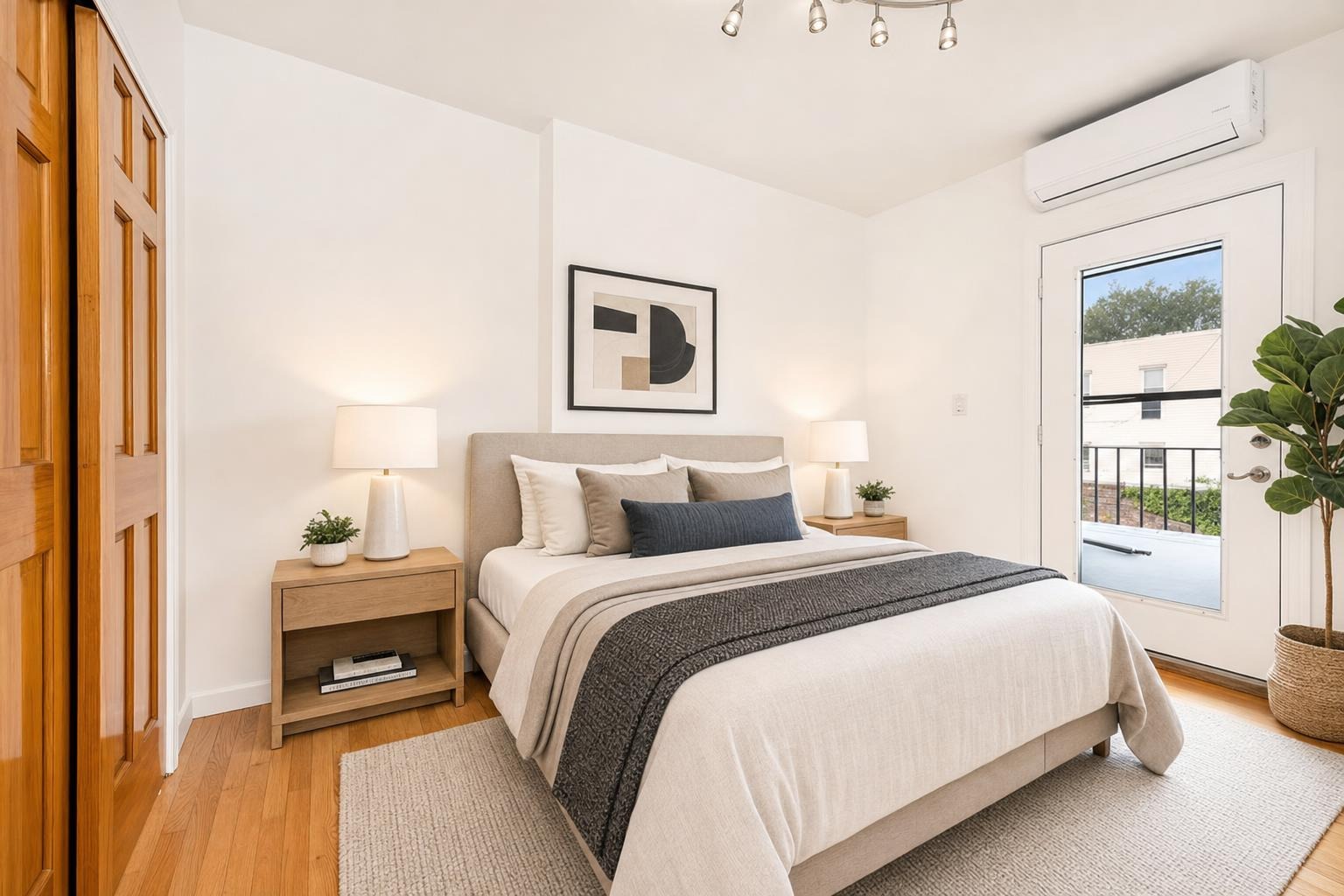
 after · staged
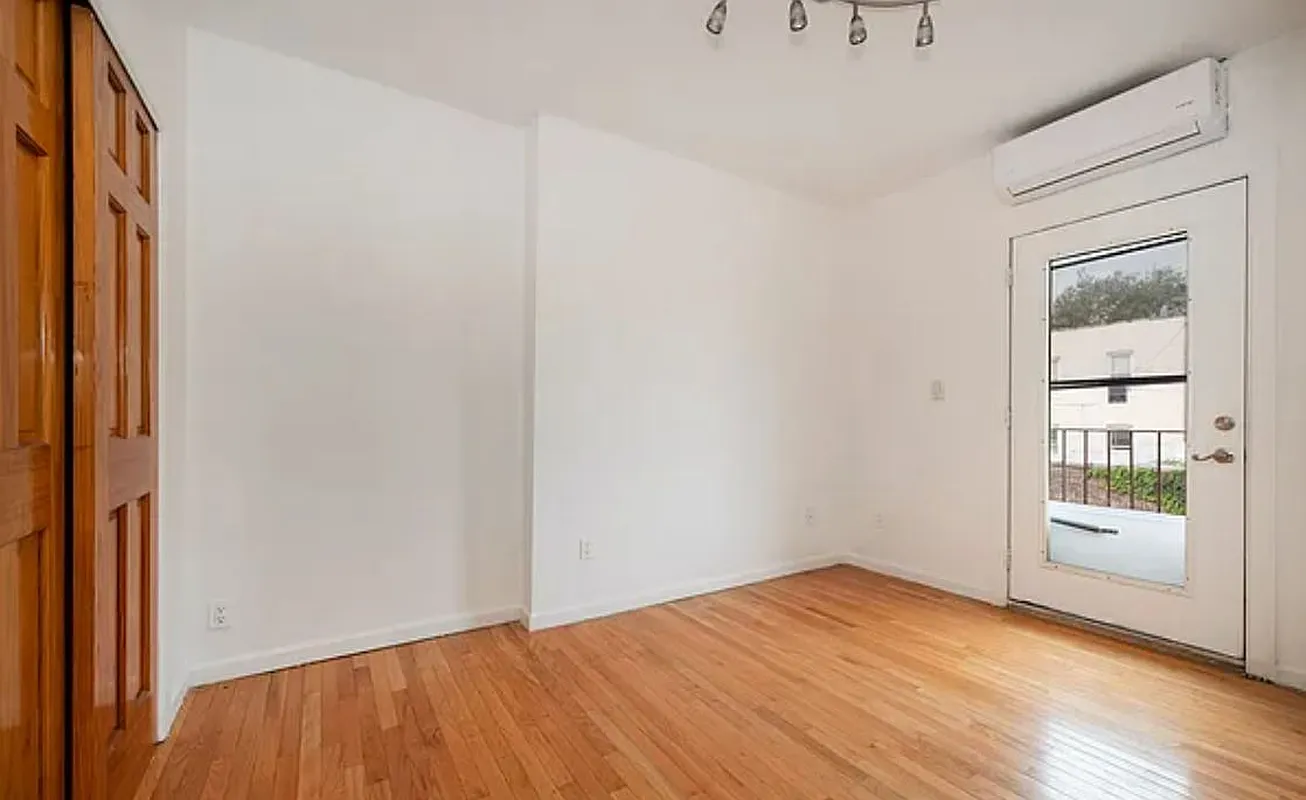
before
after · staged
before
The short version
Wide-angle is a tool, not a trick. Wide enough to show the room, not so wide it warps it. Professionals shoot most interiors around the equivalent of 16 to 24mm, keep the camera dead level because wide lenses exaggerate every tilt, and watch what is sitting at the edges of the frame.
Real estate photos are shot wide for a reason — you need to capture enough of a room to show its layout and feel its space. But there's a line between "wide enough to be useful" and "so wide it warps the room into a funhouse," and crossing it is one of the most common ways listing photos go wrong. Here's how to shoot wide enough to do the room justice without the bent walls and stretched corners that scream amateur.
Choose the lens by room, not by habit
| Situation | Start with | Move to ultra-wide only if |
|---|---|---|
| Living room or bedroom | Phone's 1× lens | You cannot show two walls after stepping back |
| Kitchen | 1× from a corner | A wall blocks the layout at every honest angle |
| Bathroom or narrow entry | 1× from the doorway | The main fixtures will not fit in one frame |
| Exterior | 1× and more physical distance | The lot prevents you from stepping back |
The order matters: change your position before changing the lens. Zillow's own real-estate photography guidance similarly recommends landscape framing at chest height, showing how rooms connect, and watching for distorted vertical lines.
Why too wide backfires
An ultra-wide shot can make a room look enormous, which sounds like a selling point until the buyer shows up. Over-wide photos:
- Set false expectations. A room that looked huge online but feels small in person leaves the buyer disappointed and distrustful of the whole listing.
- Distort the proportions. Furniture stretches, walls bow, and the room's actual shape becomes hard to read.
- Look obviously manipulated. Experienced buyers and agents recognize the fishbowl look and discount it.
The goal isn't to make the room look as big as possible — it's to show it accurately and attractively. That's a recurring theme in our roundup of real estate photography mistakes.
The right focal range
Professionals shoot most interiors in a moderate wide range — roughly the equivalent of 16–24mm on a full-frame camera. Wide enough to capture the room, not so wide it distorts. On a phone:
- The main (1x) lens is usually the sweet spot for most rooms — naturally wide-ish without heavy distortion.
- The ultra-wide (0.5x) lens only for genuinely tight spaces, and even then, sparingly.
- Avoid panorama mode for rooms — it bends lines badly and rarely looks right.
Lens choice and frame shape solve different problems. The lens controls perspective; the aspect ratio controls the crop. A 4:3 image shot on an ultra-wide lens can still look distorted, while a level 1× image can survive several thumbnail shapes if you leave room around the subject.
Keep the verticals straight
Wide lenses exaggerate any tilt, so the discipline that matters most is keeping the camera level. Shoot from about chest height with the phone perfectly upright — not angled up or down. The moment you tip the camera, vertical lines start converging and the walls lean. Level capture is the difference between a wide shot that looks spacious and one that looks warped. The full technique is in how to photograph a room.
Shoot from the corner, not the doorway.
Standing in a room's corner and shooting toward the opposite corner captures two walls and the room's real depth — so you get a sense of space without needing to crank the lens to its widest. Good positioning reduces how wide you have to go.
Mind the corners and the foreground
Wide lenses stretch whatever sits at the edges of the frame. A chair in the corner of an ultra-wide shot can balloon to twice its real size. Watch your edges, keep important furniture away from the extreme corners, and don't put anything large right in the foreground where the distortion is worst. If the composition only works ultra-wide, it's usually a sign to reposition rather than zoom out.
Fix the rest in editing
Even a well-shot wide photo has a little barrel distortion — that slight outward bow in straight lines. Most editing apps have a one-tap lens correction that flattens it, plus vertical correction to straighten any residual lean. It's a quick, honest fix that makes a wide shot look true to the room. We walk through it in photo editing basics.
Small rooms are a special case
Genuinely small rooms are where the temptation to over-wide is strongest, but the answer is technique, not extreme lenses. Shooting from the corner, keeping things tidy, and using light do more to make a small room feel open than distortion ever will — and they don't backfire at the showing. We cover it in making small rooms look bigger.
Where Stylst lands
Stylst works best with honest, undistorted input — shoot the room straight from a corner on your main lens, and it brightens, declutters, and stages it in about 30 seconds for around a dollar without exaggerating the space. It keeps the room's real proportions, so the staged photo matches what buyers will actually walk into. It's pay-as-you-go and on Google Play. Try it on a room.
The bottom line
Wide-angle is a tool, not a trick. Use your phone's main lens for most rooms, shoot level from a corner, save the ultra-wide for genuinely tight spaces, watch your corners, and clean up the residual bow in editing. The result is a photo that shows the room generously and honestly — which is what actually gets buyers to the door without setting them up to be let down. Use the printable listing photo checklist on the rest of the shoot.
Questions people actually ask
How wide should a real estate lens be?
Roughly the equivalent of 16 to 24mm on full frame for most interiors. That is wide enough to show a room in one frame without the distortion that starts below it. On a phone that usually means the main lens rather than the ultra-wide, which sits well past this range.
Why does an ultra-wide photo backfire?
It makes a room look enormous, which sounds like a selling point until the buyer arrives and finds a space nothing like the photo. That gap creates distrust about everything else in the listing. It also bends straight lines and stretches whatever is near the frame edges, which reads as amateur.
What should I watch at the edges of a wide shot?
Anything you care about, because wide lenses stretch whatever sits at the frame edge. A sofa in the corner becomes elongated, a doorway leans, and a person or pet at the edge distorts noticeably. Compose so the important content sits nearer the middle and let the edges carry walls and floor.