How to Write AI Staging Instructions That Actually Land
Image models render the things you name and are unreliable at the word "no". Once you know that, you stop writing instructions that quietly do the opposite of what you meant.
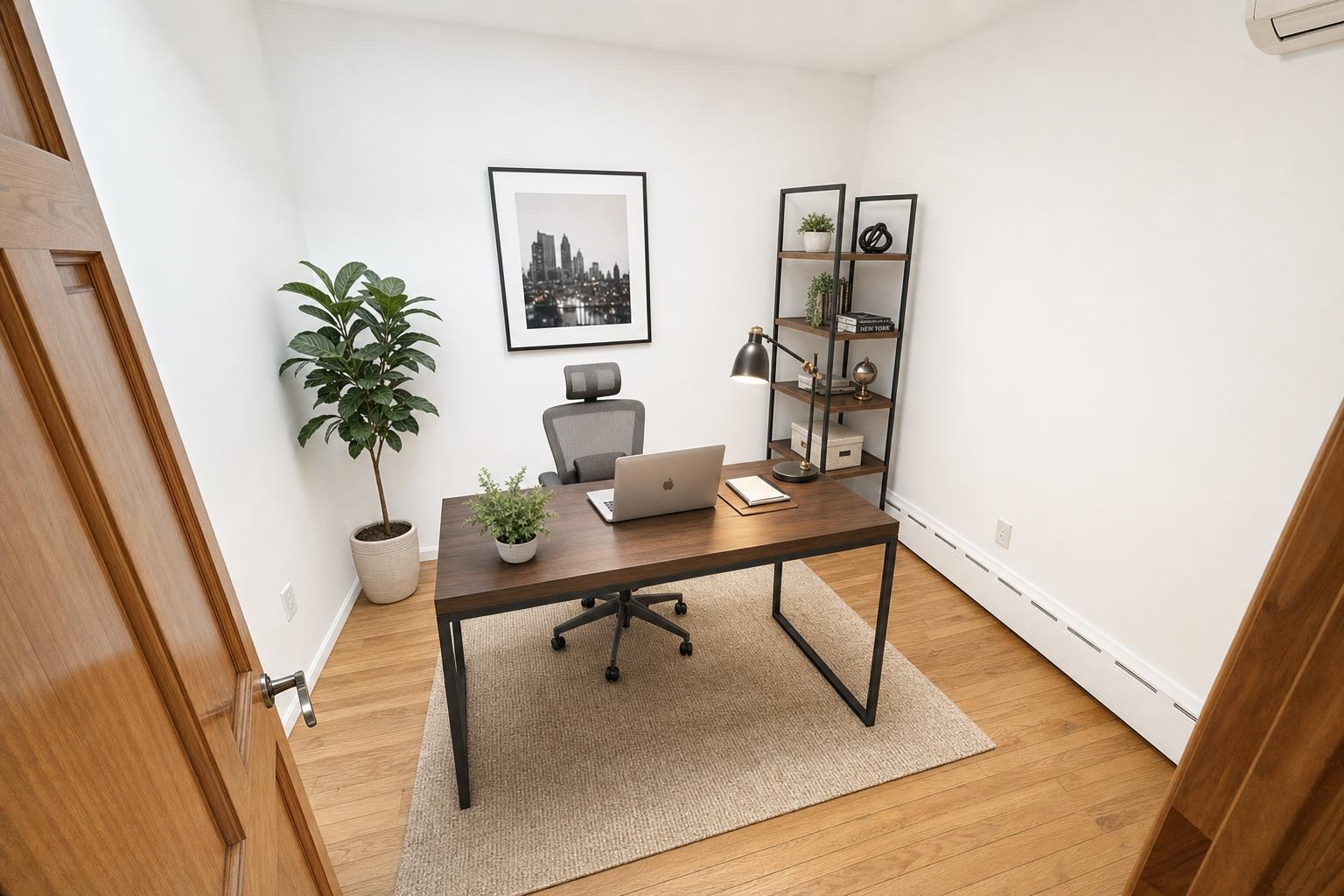
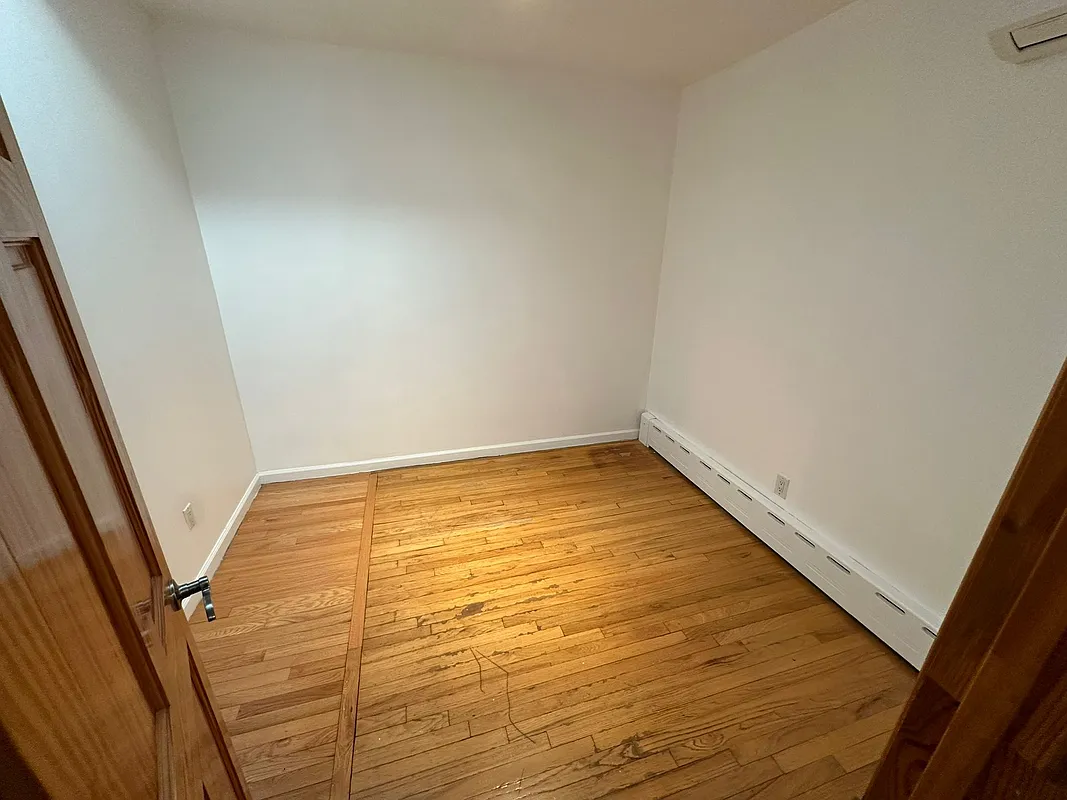 after · staged
before
after · staged
before
The short version
Image models render the things you name and are unreliable at the word no, so every prohibition you write is a coin flip you did not know you were taking. Describe the presence you want rather than the absence you do not, be specific about the thing rather than the vibe, and put the big decisions in the big controls.
There is a specific kind of frustration that comes from arguing with an image model. You type "no plants", and a plant appears. You type it again, in capitals, with an exclamation mark. Another plant appears. It feels like being ignored on purpose.
You are being ignored, but not on purpose. It's a property of how these models read, it is true of essentially every AI photo tool on the market, and once you understand it the fix takes about four seconds.
Image models render nouns, not logic
An image model turns a sentence into a picture by leaning heavily on the things the sentence names. It is far weaker at the connective tissue between them: the nots, the excepts, the withouts. So a phrase like "no plants" puts the concept of a plant squarely in front of a system that is very good at drawing plants and much less reliable at processing the word in front of it.
This is not a Stylst quirk. It is a well-known characteristic of image generation in general, and it's why the tools aimed at professionals tend to offer a dedicated negative-prompt field rather than trusting a plain-English prohibition to land. Write your instruction in plain English and the word "no" is the weakest word in it.
Say what you want, not what you don't
The move is to describe the presence you want, not the absence you don't. Every instruction below is the same wish, phrased twice:
- Weak: "No plants." → Strong: "Candles and a small stack of books on the dresser."
- Weak: "Don't put a rug on the hardwood." → Strong: "Leave the hardwood bare and visible."
- Weak: "No abstract art." → Strong: "Framed black-and-white photography on the walls."
- Weak: "Nothing cluttered on the counters." → Strong: "Bare counters, one bowl of fruit."
- Weak: "Not too much furniture." → Strong: "A sofa, one armchair, one side table. Nothing else."
The right-hand column works because it gives the model something to draw. The left-hand column asks it to hold an absence in mind, which is precisely the thing it is worst at. If a space in the room is going to be filled, you are better off deciding what fills it than hoping nothing does.
Be specific about the thing, not the vibe
"Make it tasteful" is not an instruction, it's a hope. So is "nothing tacky", "keep it classy", and "don't make it look AI". None of them name anything renderable, so the model falls back on its defaults, and its defaults are the very thing you were trying to steer away from.
Name objects, materials, and quantities. "Warm oak, cream linen, brass fixtures" gives it three concrete anchors. "Elevated but understated" gives it nothing. If you'd struggle to sketch what you asked for, so will the model.
Put the big decisions in the big controls
An instruction is for refining, not for steering. The heavy lifting belongs in the choices the tool already gives you, because those are first-class controls with a whole vocabulary behind them:
- The tool decides the job. Stage furnishes an empty room; Enhance is a pro edit that adds and removes nothing; Declutter clears clutter and leaves the real furniture alone. Asking Enhance for a sofa in the instruction line will not get you a sofa. Occupied homes covers which tool fits which room.
- The style decides the language. "Make it coastal" belongs in the style picker, not in a written instruction. The styles are here.
- The room type decides what's plausible. It is the most load-bearing choice on the screen, and getting it wrong is the fastest route to a strange photo. Why room type matters.
Once those three are right, your written instruction has one job: the handful of taste preferences the pickers can't express. Keep it to that and it will land.
Write it once, not forty times
Here is the part that most tools get wrong. Your preferences don't change between photos. The plant you didn't want in the bedroom is the plant you don't want in the living room. But nearly every AI staging tool makes you retype your instruction on every single photo, which means you either paste the same sentence forty times a week or you give up and take the default.
Stylst lets you save it. A photo rule is a standing instruction attached to your account, applied to everything you generate afterwards, on the phone and on the web, with an optional separate rule for each room — bare counters in the kitchen, warm wood in the bedroom. You write the sentence once and stop thinking about it. It costs nothing; rules don't consume credits, they just change what your credits buy you.
And because a rule you forgot about is a rule that can surprise you, the app tells you which of your rules shaped a photo, right on the screen where you made it.
An instruction is guidance, not a guarantee.
Even phrased perfectly, an instruction to an image model is a strong steer rather than a hard constraint — and any tool that tells you otherwise is selling you something. What we'll commit to is what happens when it misses: if a photo comes back ignoring what you asked for, tell us within 24 hours and we'll re-run it free with your feedback — and if it still misses, we'll credit you back. Here's how that works.
A rule set worth stealing
If you want somewhere to start, this is the shape of an instruction that behaves: short, positive, specific, and about styling rather than architecture.
Listing agent: "Neutral palette. Bare surfaces. Framed photography on the walls. Leave floors visible."
Short-term rental host: "Simple and durable furnishings. Nothing fragile. Clear nightstands."
Contractor showing finished work: "Minimal furniture — keep the new cabinetry and tile fully visible."
Notice that none of them contains the word "no", and all of them would be easy to draw.
The bottom line
Image models render what you name and are unreliable at what you forbid, so every prohibition you write is a coin flip you didn't know you were taking. Name the thing you want in the space instead, keep the big decisions in the tool and style pickers, and save the instruction once rather than retyping it forever. Do that and the fortieth photo comes back looking like the one you liked.
Questions people actually ask
Why does AI staging keep adding things I don't want?
Because image models render the things a sentence names, and they are unreliable at the logic that connects them. "No plants" contains the word plants, so plants are a likely thing to appear. The dependable fix is to stop describing the absence and start describing the presence: name what you want in that spot instead.
Do negative prompts work in AI image tools?
Not dependably, and not in any tool. Some image systems accept a separate negative-prompt field, but a plain-English "don't do X" written into a normal instruction is one of the least reliable things you can ask an image model for. Positive, specific instructions land far more often than prohibitions.
What makes a good AI staging instruction?
Short, specific, positive, and about styling rather than architecture. "Candles and a stack of books on the dresser" is a good instruction. "Nothing tacky" is not, because it tells the model nothing it can actually render.
Can I tell an AI staging tool my preferences once instead of every photo?
In Stylst, yes — a photo rule is a standing instruction saved to your account and applied to every photo you generate afterwards, with an optional separate rule per room. Most tools make you retype your preference on every single photo, which is how people give up and accept the default.