Room Type: The Most Important Choice in AI Staging
The dropdown that looks like a formality is the single most load-bearing choice you make. Here's what it actually controls — and the check that now catches the worst version of getting it wrong before you're charged.
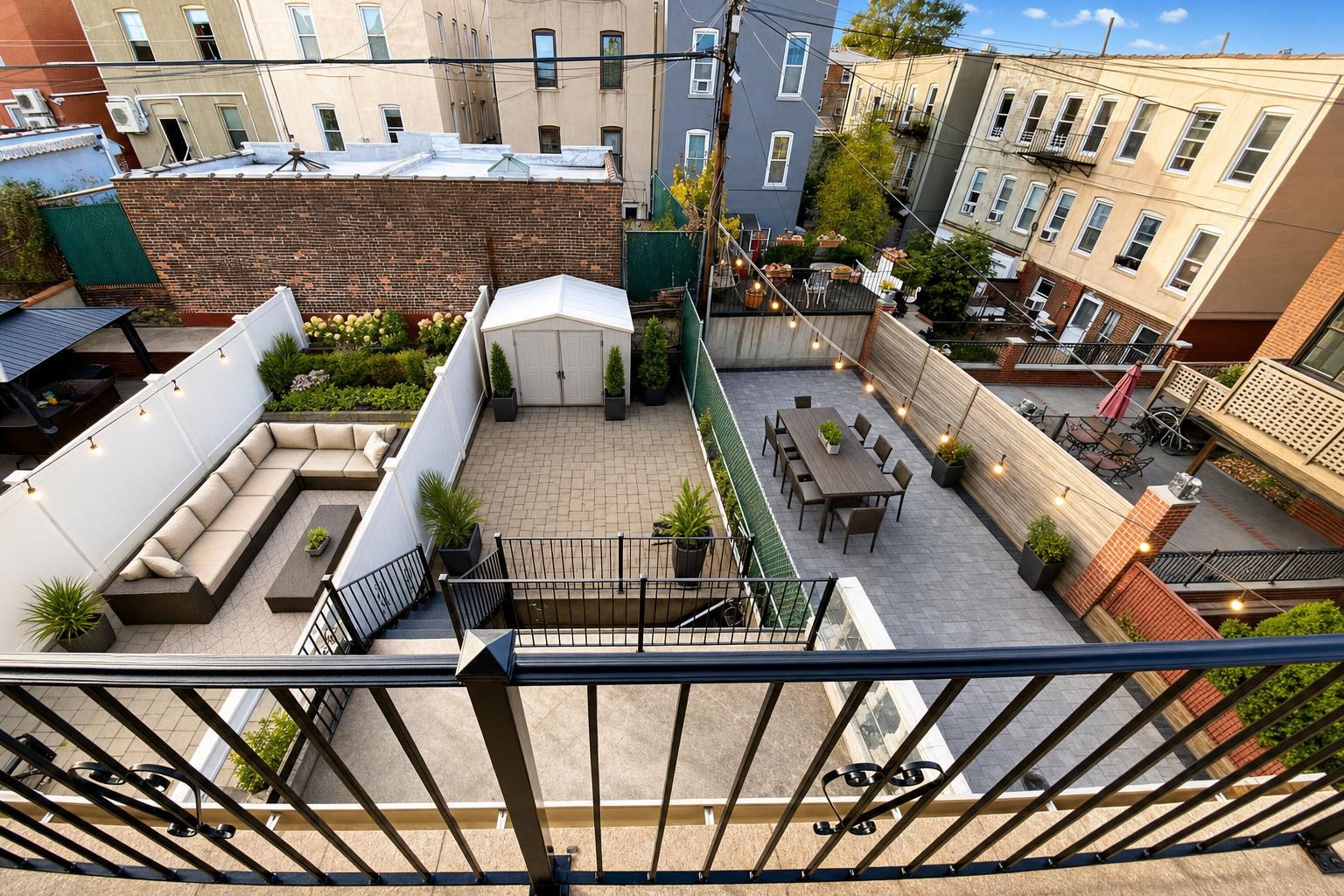
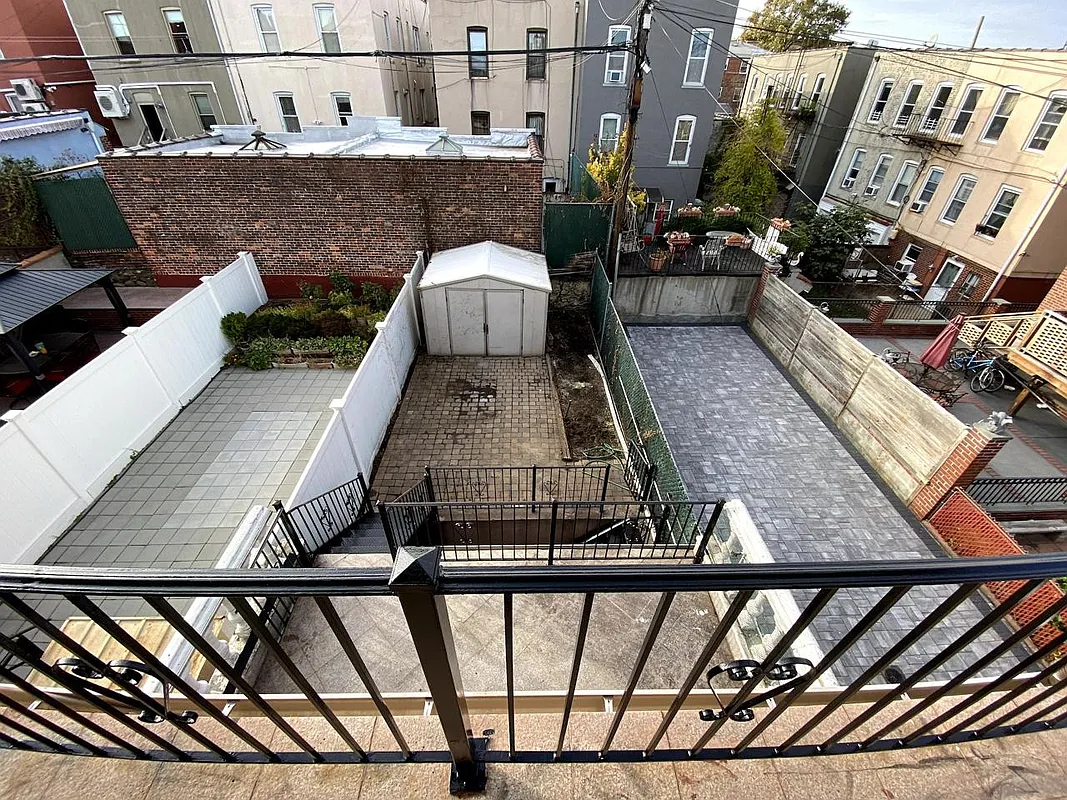 after · staged
before
after · staged
before
The short version
The dropdown that looks like a formality is the most load-bearing choice you make. An image model does not see your room, it stages the photo as if it really were the room type you named, which is how a bathroom submitted as Home exterior comes back as an invented house.
Someone uploaded a photo of a bathroom. In the room type dropdown, they had "Home exterior" selected — left over from the last photo, probably, or picked in a hurry.
The model did exactly what it was told. It looked at a bathroom, was informed it was looking at the outside of a house, and produced an entire house. Not a bathroom with a weird wall. A house: facade, roofline, landscaping, the works. It was one of the strangest photos we've ever shipped, and it was nobody's fault but the dropdown's.
That dropdown looks like metadata. It looks like the kind of field that exists so the software can file your photo in the right folder. It isn't. It's an instruction, and it's the most powerful one you give.
What the room type actually controls
An image model doesn't "see" a room the way you do. It sees pixels, and it needs to be told what those pixels are supposed to be before it can decide what belongs in them. The room type is that telling. Three things hang off it:
- What furniture is plausible. "Bedroom" means a bed, nightstands, a lamp, maybe a bench. "Dining room" means a table and chairs, and never a sofa. "Office" means a desk and a chair and shelving. The room type is the shopping list.
- Indoor versus outdoor logic. Backyard, Front yard, and Home exterior are outdoor rooms, and they play by different physics: sky, sun angle, foliage, hardscape, no ceiling. An indoor room type expects walls, a ceiling, and interior light. Cross those wires and the model has to reconcile a contradiction, and it will — creatively.
- Which of your rules apply. If you've saved a photo rule scoped to a specific room — "warm wood tones in the bedroom", "keep kitchen counters bare" — it fires based on the room type you selected. Label a kitchen as a living room and your kitchen rules sit the photo out.
Style, by contrast, is a much lighter-weight choice. Modern versus Scandinavian changes the taste of the furniture. Room type changes whether there's furniture at all, and what species of furniture it is.
Contradictions are the fastest route to a bizarre photo
The model will not stop and tell you that you've made a mistake. It has no concept of a mistake. Given a photo that says "bathroom" and an instruction that says "home exterior," it does not refuse. It resolves — it finds some image consistent with both inputs, and that image is going to be strange, because you asked for a strange thing.
This is what people mean when they say an AI tool "hallucinated". The model didn't go rogue — it obeyed an instruction nobody meant to give. Which is why the wrong room type produces a far worse photo than the wrong style: a wrong style gets you a sofa you don't love, and a wrong room type gets you a room that isn't yours.
The tool and the room type talk to each other
Two of the five tools have opinions about the room type, and it's worth knowing which:
- Day to dusk is outdoor. It turns a daytime exterior into golden-hour twilight, which only means something if there's a sky in the frame. Hand it an interior room type and it treats the shot as an exterior anyway, because that's the only reading of "dusk" that makes sense. A bedroom photographed at sunset is not a Day to dusk job. It's an Enhance job.
- Renovation preview is interiors only. New counters, cabinets, floors, fixtures, same footprint. There is no exterior equivalent, so it defaults toward kitchen logic if you hand it something ambiguous. Point it at a room, not a yard.
Stage, Enhance, and Declutter are room-agnostic in the sense that they'll run on anything — but they all still read the room type to decide what "correct" looks like. Declutter on an "Office" clears a desk. Declutter on a "Front yard" clears a hose and a bin.
What we did about it: the scene pre-check
The bathroom-that-became-a-house cost somebody a credit and gave them a photo they couldn't use. That's a bad trade, and "read the dropdown more carefully" is not a product.
So Stylst checks your photo against the room you picked before the credit is spent. If the two plainly disagree, you get a banner instead of a charge: "This looks like a bathroom. Switch to Bathroom?" One tap and it's fixed. No credit spent, no strange photo, no support ticket.
You can also ignore it. If you genuinely meant it — you're doing something creative, you're testing something, you know something we don't — force it through and we'll run exactly what you asked for. The check is there to catch an accident, not to argue with you.
The pre-check catches the catastrophic mismatch. It does not catch every mistake.
It catches the contradiction that wrecks a photo outright — not every mistake. It will happily let you stage a dining room as a "Bedroom" and hand you a bed where the table should be, and it won't notice that your "Kitchen" is really a laundry room. It is a seatbelt, not a substitute for picking the right room. And it will never hold your photo hostage: if the check can't make up its mind, your photo goes through, because a guard that blocks the work you paid for is worse than the problem it solves.
How to pick the right room type
Nine options: Living room, Bedroom, Dining room, Kitchen, Bathroom, Office, Backyard, Front yard, Home exterior. Most photos are obvious. These are the ones that aren't.
- Open-plan kitchen and living room. Pick whichever dominates the frame. If it's a genuine 50/50, pick the one you most want furnished — Living room buys you a sofa and a seating arrangement, Kitchen keeps the attention on the island and the counters. Or shoot it twice, from each end, and stage each shot as its own room. That's what a photographer would do anyway.
- A finished basement. There's no "basement" option, and there shouldn't be — that's a location, not a use. Pick the room it functions as: Living room for a den, Office for a workspace, Bedroom for a bedroom.
- A sunroom or three-season porch. Living room. It has a ceiling and walls, so it's an interior, even though it's ninety percent glass. Do not reach for an outdoor room type just because you can see the yard through it.
- Front yard versus Home exterior. Home exterior when the house is the subject — the facade, the roofline, the approach. Front yard when the land is: the lawn, the beds, the walkway, the trees. Front yard is deliberately conservative about inventing things (it will not drop a patio set onto your grass), which is exactly what you want when the yard is the story. More on both in curb appeal.
- A bedroom shot at dusk. Still a Bedroom. The time of day is not the room. Use Enhance to fix the exposure and color of an evening interior — reaching for Day to dusk here is the exact contradiction the pre-check now flags, because you've handed an exterior tool an interior photo.
- A laundry room, a mudroom, a walk-in closet. There's no dedicated option, and most of them are Enhance or Declutter jobs anyway. Nobody needs a virtually staged mudroom. They need a clean, bright, straight photo of one.
One habit worth building: the room type does not reset between photos. If you just staged a home exterior and you're now uploading a bathroom, the dropdown is still sitting on "Home exterior." Glance at it. It takes half a second, and it is the single highest-leverage half-second in the whole flow.
And if it still comes back wrong
Sometimes you pick correctly and the photo is still off. Rate it and tell us what went wrong: tell us within 24 hours and we'll re-run it free with your feedback — and if it still misses, we'll credit you back. That's the whole process, and it's written down here.
It also helps enormously to hand the model a photo it can actually read: level, wide, lights on, curtains open. A confusing photo makes the room type harder to get right and the staging harder to do well. Ten minutes on the shot saves you a credit and a re-run.
Questions people actually ask
What happens if I pick the wrong room type for virtual staging?
The model stages the photo as if it really were that room, which is how a bathroom submitted as "Home exterior" comes back as an invented house. Room type isn't a label on the file — it's the instruction that tells the model what it's looking at, so a contradiction between the photo and the room is the most reliable way to get a bizarre result.
Which room type do I pick for an open-plan kitchen and living room?
Pick the room that dominates the frame, and if it's genuinely split down the middle, pick the one you most want furnished. Living room gives you a sofa and seating arrangement; Kitchen keeps the focus on counters, island, and appliances.
What room type should I use for a front yard versus a home exterior?
Use Home exterior when the house is the subject and Front yard when the land is. Front yard is deliberately conservative about inventing things — it won't drop a patio set onto your lawn — while Home exterior treats the facade, roofline, and approach as the thing being sold.
Can I still stage the photo if the pre-check says the room type is wrong?
Yes — the check is a banner, not a lock. You can tap to switch to the room it suggests, or force the photo through unchanged if you meant it. It never blocks a photo you want to run.
The bottom line
The room type is not a filing label. It is the sentence that tells the model what it is looking at, and everything downstream — the furniture, the light, the physics, your saved rules — is decided by it. Pick it deliberately, check it hasn't carried over from the last photo, and the tool will spend about 30 seconds making the room you actually have look like the best version of itself. Pick it carelessly and you will get a house. Here's how the rest of the pipeline works.