What Happens When the Photo Comes Back Wrong
Sometimes it misses. Here's the guarantee, the feedback that actually fixes it, and the four things that cause a bad result in the first place.
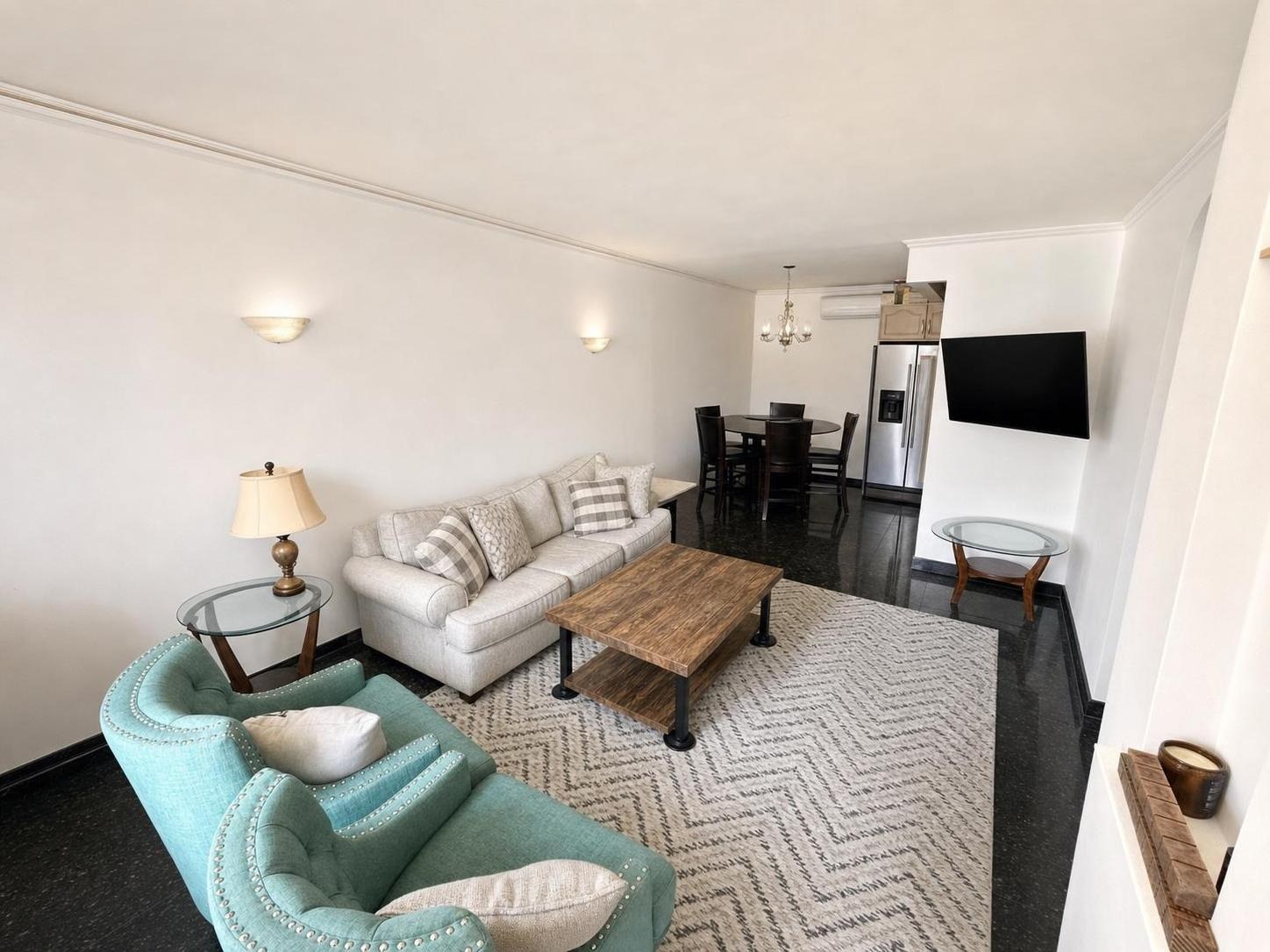
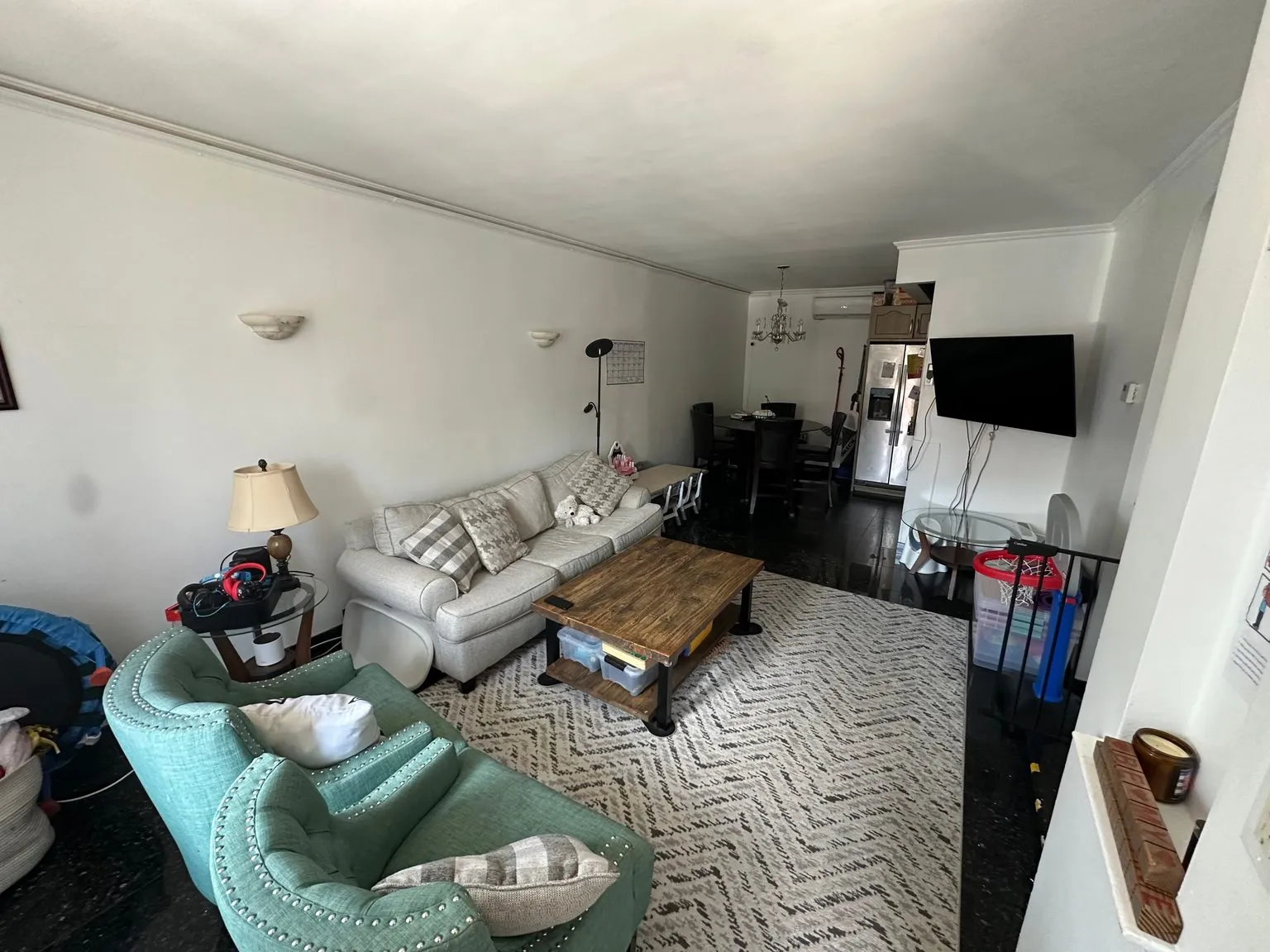 after · decluttered
before
after · decluttered
before
The short version
Sometimes it misses. Tell us within 24 hours and we re-run it free with your feedback, and if it still misses the credit goes back on your balance. Specific feedback is what decides whether the re-run lands, and most bad results trace to four causes you can control.
Most photos come back right. Some don't. Anyone selling you an AI product who claims otherwise is either lying or hasn't shipped enough photos to find out. Image models are probabilistic — the same room, the same settings, run twice, will not give you two identical pictures — and every so often you get furniture floating half a metre off the floor, or a room that reads as somebody else's house.
So the question isn't whether it ever misses. The question is what happens next.
The guarantee
Here it is, in full, with nothing hidden in a footnote:
Tell us what missed within 24 hours. We'll re-run it free with your feedback. If it still misses, we credit the photo back to your balance.
That's the whole policy. It's fulfilled in app credits rather than cash — that's what "credit the photo back" means, and we say it plainly rather than dressing it up. Cash refunds on a purchase are a separate thing and go through Apple, Google, or Stripe, whoever you bought the credits from. The formal wording lives in the terms and the support FAQ, and it doesn't change when you're annoyed with us.
Twenty-four hours is the only real condition, and it's there for a practical reason: if you tell us the same day, we can look at the actual photo, the actual settings, and the actual prompt while the context is still there. A complaint about a photo from three weeks ago is a complaint we can't diagnose.
How to tell us
The rating right under your photo is the fastest path. It's a star rating, and a low one opens a box for you to say what went wrong. That goes to a person — every low rating pings the team directly, and every one of them is looked at against the exact before and after image you got. It is not a survey that lands in a spreadsheet nobody opens.
You'll get a link back to a review page for that photo. The re-run comes back through the same link.
How to write feedback that actually fixes the next run
This is the part people get wrong, and it's the part that decides whether the re-run lands. The re-run isn't a coin flip — your feedback goes into the prompt. Vague feedback produces a vague correction.
- Name the object, not the vibe. "Looks off" gives us nothing. "The sofa is floating in the middle of the room — it should sit against the back wall under the window" gives us everything.
- Pick your two biggest problems. Not five. A short list of sharp corrections beats a paragraph of general disappointment, every time.
- Say what to keep, not just what to kill. "Lose the plant, but keep the light fixture and the bare floor" protects the parts you liked from getting rewritten in the fix.
- Check yourself for contradictions. "It didn't add any furniture" is not a miss if you ran Enhance, which is defined as an edit that adds and removes nothing.
- If it's a thing you'll always want, make it a rule. A photo rule is a standing instruction saved to your account — "never add plants" — that gets applied to every photo you generate from then on. Feedback fixes one photo. A rule fixes all of them.
The four things that actually cause a bad result
1. The wrong room type. This is the biggest one and it isn't close. Pick "Home exterior" while uploading a bathroom and the model does its best to reconcile an impossible instruction — and what comes back is a house that doesn't exist. Same for staging a dining room as a bedroom. The room type isn't a label; it's an instruction.
2. A photo the model can't read. Very dark, motion-blurred, shot through a doorway so most of the frame is a wall, or so wide-angle that the walls curve. The model has to understand the room before it can furnish it. How to photograph a room covers the basics that make the difference, and the common mistakes covers what to stop doing.
3. Contradictory instructions. A room type, a tool, a style, and a photo rule that don't agree with each other. Pick a lane and the result gets dramatically more predictable.
4. Asking a tool to do a different tool's job. Enhance is a professional edit — nothing added, nothing removed. Declutter removes clutter but keeps the real furniture. Stage adds furniture. Day-to-Dusk changes the light on an exterior. If you want a different outcome, the fix is usually a different tool, not a better prompt. How it works walks through what each one does under the hood.
The pre-check that catches the big one before you pay.
Because "wrong room type" is the number one cause of a bad photo, the web app now looks at your photo before it takes the credit. If you've selected a room type that contradicts what's actually in the frame — bathroom photo, "Home exterior" selected — you get a one-tap banner offering to switch, instead of a charge and a hallucinated house. If you're sure you're right, you can override it and go anyway; you're the one who can see the room. And if the check itself can't tell, it stays out of the way and proceeds. It never blocks you and it never costs you anything.
And if the generation just fails
Then the credit is refunded automatically. You don't have to ask, notice, or email anyone. A failed job that quietly kept your dollar would be a scam, and we're not running one.
Spend nothing to find out first
If you want to know whether a photo is any good before you generate anything from it, run it through the free photo score. It's an AI report card on the shot itself — framing, light, clutter, straightness — and it costs nothing, uses no credit, and gives you back a critique rather than an image. It's the cheapest way to find out that the real problem was the photo, not the staging.
Where Stylst lands
Stylst is $1 a photo, pay-as-you-go, no subscription required. Most photos come back in about 30 seconds and most of them are right the first time. When one isn't, the policy above is the whole of it: tell us inside a day, we re-run it free with what you tell us, and if it still misses, the credit goes back on your balance. The cost breakdown is here if you want to see how that compares to a service that bills you for revisions.
The bottom line
A tool that never fails doesn't exist. A tool that tells you what it does when it fails is rare enough to be a differentiator, which is a slightly depressing thing to write. Rate the photo, name the object, tell us inside 24 hours, and pick the tool that matches what you actually want. That fixes almost everything — and the times it doesn't, the credit is yours.
Questions people actually ask
What happens if a staged photo comes back wrong?
Tell us within 24 hours and we re-run it free using your feedback. If it still misses after that, the credit goes back onto your balance. The rating right under your photo is the fastest way to start it, and every low rating goes to the team rather than into a queue.
How should I write feedback so the re-run actually fixes it?
Be specific about the thing that is wrong rather than the feeling. Remove the plant on the dresser and put a lamp there instead is actionable. Make it look better is not. Naming what you want in place of what you do not want lands far more reliably than a prohibition alone.
What if the generation fails completely?
The credit is refunded automatically, without you needing to ask. A failed render costs you nothing. That is separate from the guarantee, which covers a photo that came back successfully but is not right, and where the fix is a re-run with your feedback rather than a refund.