Brand Your Listing Photos Without a Watermark
Your logo doesn't belong across the middle of someone's living room. Put it on a strip under the photo, where it survives.

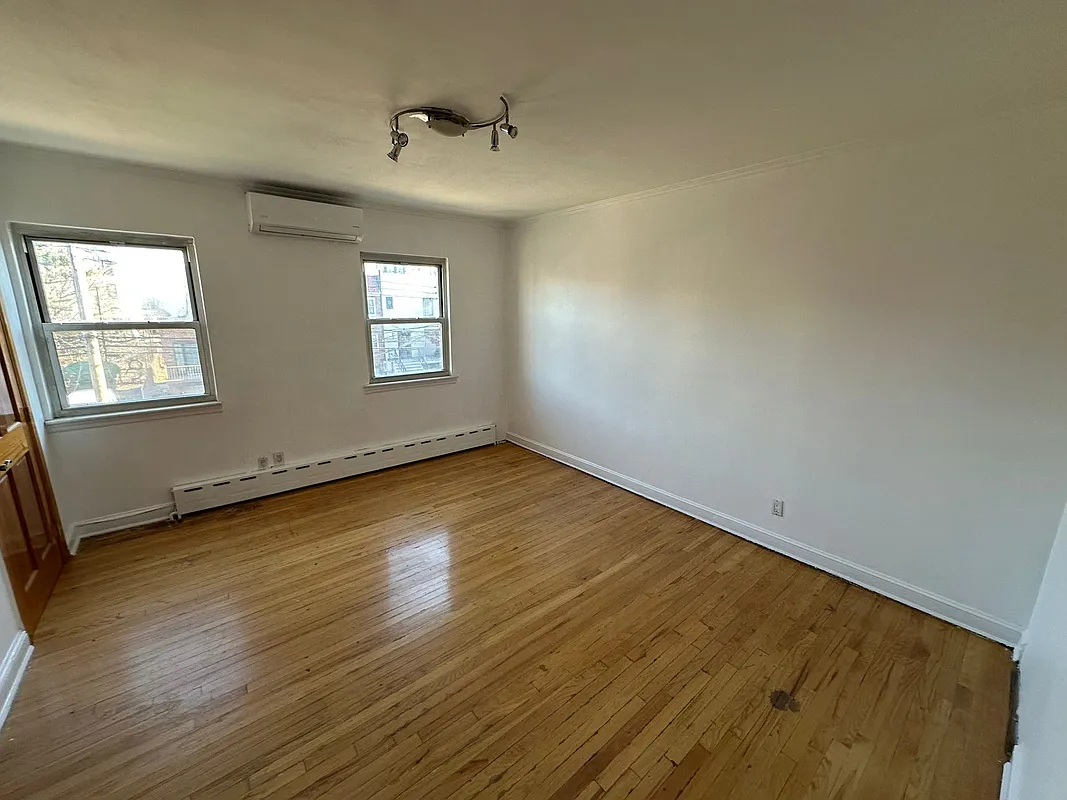 after · staged
before
after · staged
before
The short version
Most MLSs ban branding inside the image, and a logo across someone's living room is a bad trade anyway. Put your name on a narrow strip beneath the photo instead: it survives the crop, it does not fight the room, and it keeps the MLS upload clean. A staging disclosure badge is a different thing and does belong on the image.
Every agent eventually has the same thought: my photos get reposted, scraped, and screenshotted all over the internet, and none of them say who I am. The obvious fix is to slap a logo on them. It is also, almost always, the wrong fix.
A watermark across the image solves the attribution problem by damaging the thing you spent money to make. And on the two surfaces where your photos actually live — the MLS and social — it either isn't allowed or doesn't survive the crop.
Why a logo on the image is a bad trade
- Most MLSs ban branding in photos. Contact information, brokerage logos, agent names, phone numbers, and URLs inside a listing image are prohibited by a large share of MLS photo policies, and they'll fine you or pull the photo. The rules vary, so read yours — MLS photo requirements covers the shape of them.
- It gets cropped on social anyway. A corner logo on a 3:2 photo posted to a 9:16 story is the first thing the platform cuts. Half your watermark, half your phone number. See the four sizes you actually need.
- It covers the room. A semi-transparent logo across the center is sitting on the sofa, the counter, or the window — the exact things a buyer is trying to look at.
- It reads as defensive. A big watermark says "someone might steal this." A clean photo with a small credit line under it says "I made this."
The thing that actually works: a strip under the photo
Keep the image untouched and add a narrow band beneath it: your logo, your name or business name, your phone or handle, your service area. It's the format a print flyer has used forever, and it works for the same reason — the photo is the photo, and the identification sits next to it.
What it buys you:
- Nothing is obscured. Every pixel of the room is still visible.
- It's inside the frame, so it survives the repost. Screenshot it, reshare it, scrape it — the strip travels with the image the way a watermark does, without the cost.
- The information is readable. A phone number on a paper-colored band is legible. A phone number ghosted over a rug is not.
- It's honest attribution, not a claim on the property. Which is exactly the distinction MLS rules are drawing.
Set your brand kit once. It's free.
Stylst holds your logo, business name, phone, handle, and area as a brand kit, and composes them into a clean strip under any photo, reveal reel, or export you make. Set it once and it's on everything after that. It costs nothing — no credit, no subscription, no branding tier. Change your number and it updates everywhere going forward.
Where the branded version goes — and where it doesn't
This is the part agents get wrong in the other direction: they brand everything, including the file they upload to the MLS. Use two versions of the same photo.
- MLS and portals: unbranded. No strip, no logo, no phone. Just the photo. This is a rule, not a preference.
- Instagram, TikTok, Facebook, LinkedIn: branded. This is your account, your post, your name on it. The strip belongs here.
- Flyers, email, leave-behinds, listing presentations: branded. Obviously.
- Sending photos to the seller: unbranded. Let them repost the clean image. It goes further.
Stylst keeps this straight for you — a plain download is unbranded, and the brand strip only appears on the composed assets you make for posting.
The disclosure badge is a different thing entirely
Don't confuse "no branding on the image" with "no label on the image." If a photo has furniture that isn't in the house, it needs a visible disclosure — "Virtually Staged" — and that one does belong on the image, because its whole job is to travel with the photo everywhere it gets syndicated. MLSs require it; they prohibit your logo. Those are not in tension, they're the same principle: the image should tell the truth about the property, and nothing else. See is virtual staging legal and the 2026 disclosure rules. On social, the same logic applies — disclosing virtual staging on social media.
What to actually put on the strip
- Logo. Simple, high-contrast, legible at the size of a fingernail. If your logo has six words in it, use the mark only.
- Name. Your name if you're the brand, your business name if it is. Not both plus your team name plus your brokerage.
- One way to reach you. A phone number or a handle. Pick one. Two is clutter and neither gets used.
- Area, optionally. "Hudson Valley + Columbia County" does more for a scrolling stranger than a license number.
That's it. A strip is not a business card and it's not a resume. It's a credit line.
Where Stylst lands
Stylst stages a phone photo into an MLS-quality shot for about a dollar, in about 30 seconds, no account or subscription on mobile. The brand kit, the reveal reel, the captions, and the export presets are free on top of it — so the version you post is branded, the version you upload to the MLS isn't, and you don't have to think about it twice. Stage a photo and set your kit on the result.
The bottom line
Branding a listing photo isn't wrong — branding it through the photo is. Keep the room clean, put your name on a strip beneath it, keep the MLS copy unbranded, and label anything that was virtually staged. You get the attribution, the buyer gets the room, and the MLS never sends you a letter.
Questions people actually ask
Can I put my logo on MLS listing photos?
Usually not. Most MLSs explicitly ban agent or brokerage branding inside listing images, and violating it can get photos removed or the listing flagged. The rule exists because the MLS photo is a shared record of the property rather than your advertisement, so keep the uploaded file unbranded.
How do I brand a listing photo without a watermark?
Add a narrow band underneath the image rather than putting anything on top of it. The strip carries your logo, your name or business name, a phone number or handle, and your service area. The photo itself stays untouched, which means the same image works branded on social and unbranded on the MLS.
Is a virtual staging disclosure the same as branding?
No, and confusing the two causes real problems. Branding is promotional and is generally banned on the image. A disclosure label saying a photo is virtually staged is a compliance requirement and belongs on the image, because it needs to travel with the photo when it gets screenshotted or reshared.