The Only Four Social Image Sizes You Need
Story, Reel, Feed, Square — plus a 3:2 for Airbnb. Export the right shape and the platform stops eating your sofa.
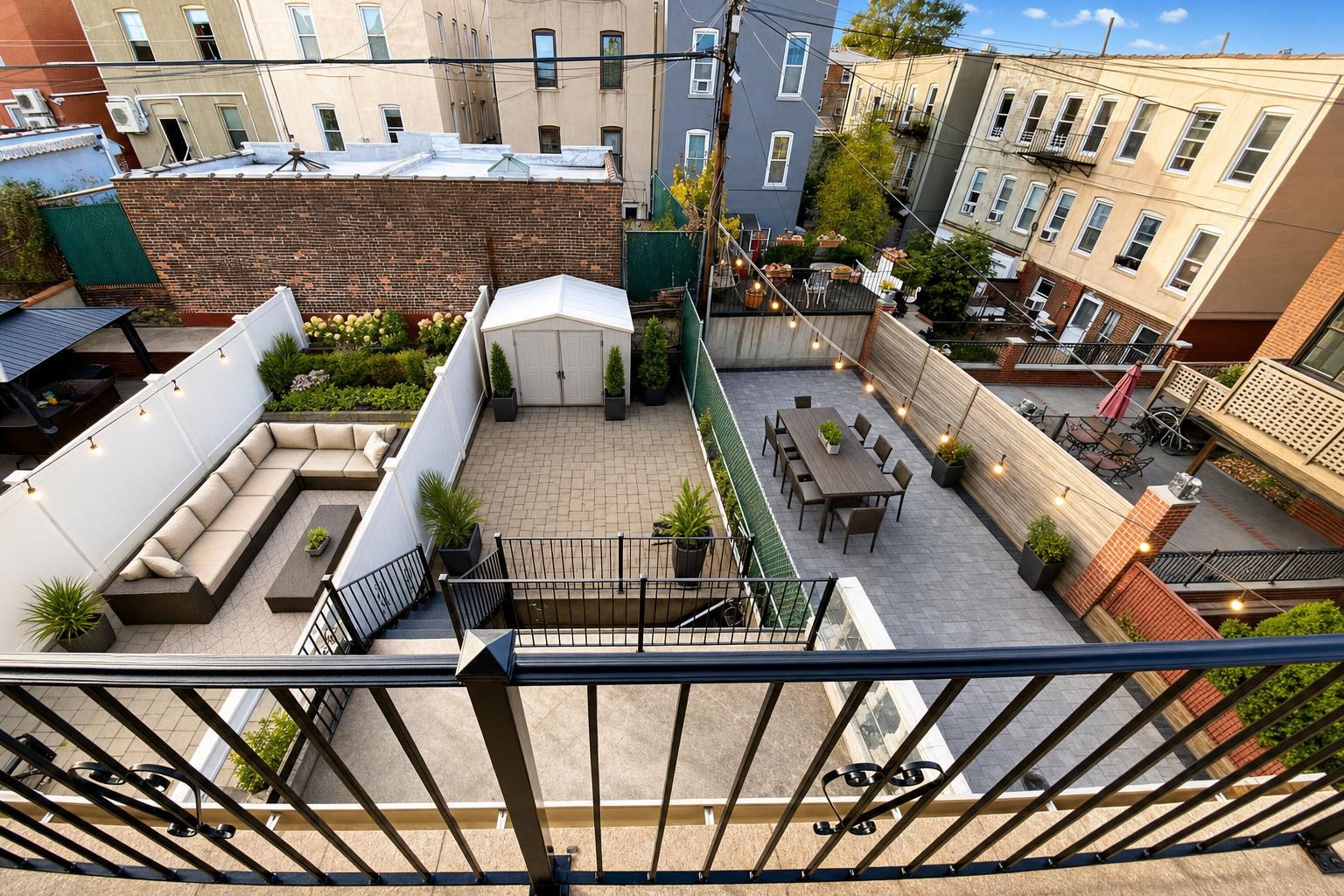
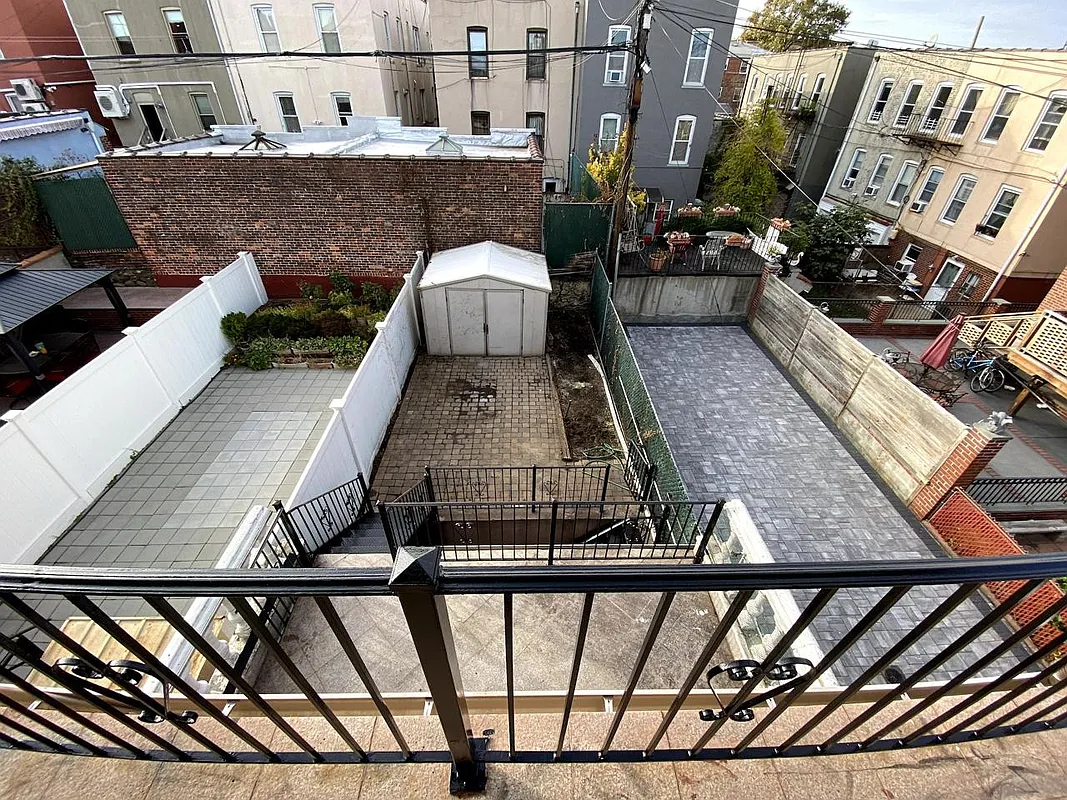 after · staged
before
after · staged
before
The short version
Four shapes cover everything: Story and Reel at 9:16, Feed at 4:5, and Square at 1:1, plus a 3:2 landscape for Airbnb and the booking sites. Shoot wider than you need so the crop has somewhere to take from, and 1080 pixels on the short edge is enough for all of them.
Listing photos are wide. Phones and social feeds are tall. Every time you post a real estate photo without thinking about shape, a machine makes a crop decision on your behalf, and it makes it badly — because it doesn't know that the point of the frame is the island, the fireplace, or the view out the back.
This is the least glamorous thing in social media and it costs you more reach than your caption does. The fix takes five seconds if you export at the right size instead of letting the upload do it.
The four sizes
- Story — 9:16 (1080 × 1920). Instagram and Facebook stories. Full-screen vertical. The tallest, hungriest shape: a wide room photo dropped in here loses most of its width or floats in the middle of a colored background.
- Reel — 9:16 vertical video. Instagram Reels, TikTok, YouTube Shorts. Same shape as story, different surface — this is where the algorithm actually pushes you to non-followers. Your before/after reveal reel belongs here.
- Feed — 4:5 (1080 × 1350). The tall in-feed post. This is the one most agents should use most of the time: it's the maximum vertical real estate Instagram allows in-feed, which means it physically pushes the next post off the screen. A square gives up 25% of that height for free.
- Square — 1:1 (1080 × 1080). Grid-safe, LinkedIn-safe, Facebook-safe, and the shape that survives being embedded anywhere. Use it when the same asset has to work in five places.
Plus one honorable mention: 3:2 landscape, a useful source shape for rental galleries. Airbnb also crops search images to a square, so keep the subject centered and leave side margin. See the aspect-ratio guide, Airbnb listing photos, and the hosts page.
| Shape | Ratio | Pixels | Where it goes |
|---|---|---|---|
| Story | 9:16 | 1080 × 1920 | Instagram and Facebook stories |
| Reel | 9:16 | 1080 × 1920 | Reels, TikTok, YouTube Shorts |
| Feed | 4:5 | 1080 × 1350 | The in-feed post — most agents, most of the time |
| Square | 1:1 | 1080 × 1080 | Grid, LinkedIn, anywhere it gets embedded |
| Landscape | 3:2 | Camera native | Airbnb, VRBO and Booking cover photos |
What actually gets cropped
Take the backyard at the top of this page — a 3:2 frame with the sectional on the left, the dining set on the right, and string lights running across the top. Everything that makes it a place someone wants to be is at the edges.
- To 4:5: you lose the left and right edges. The sectional goes. You keep the table and the fence. Survivable, barely.
- To 1:1: more of both sides goes. Now the seating area is a corner of a photo mostly about paving.
- To 9:16: most of the width is gone. What's left is a narrow column through the middle of the yard — a fence, a shed, some sky. Both of the things you staged are outside the frame. This is the crop that ruins posts, and it's the one every story upload does by default.
Interiors fail the same way: a kitchen shot with the range on one side and the window on the other gets reduced to an island in a room you can't read.
The deeper problem is that a wide room photo is composed for width. The whole reason you shot at 16–24mm was to show how the space connects. Cropping to vertical undoes the composition on purpose. See wide-angle real estate photography for why the wide frame exists, and how to photograph a room for framing that survives a re-crop.
Export the shape. Don't crop it on upload.
Stylst's export presets render your finished photo directly at Story, Reel, Feed, Square, or Airbnb 3:2 — framed for the shape, not center-cropped into it — and a reveal reel renders at the format you pick. It's free, no credits. The point isn't convenience; it's that you decide what stays in frame instead of an upload dialog.
Rules of thumb worth memorizing
- Shoot wider than you need. Leave headroom and side room in the original so a vertical crop still has something to keep. Free insurance, costs nothing at capture time.
- The subject goes near the center. Anything you love that's within about 15% of the left or right edge is going to die in a 9:16 crop.
- One asset, two exports. A Feed 4:5 for the in-feed post and a Story 9:16 for the story of the same listing. It's the same photo, twice.
- Never post a screenshot. A screenshot of your own photo is a compressed, resized, wrongly-shaped copy of a thing you already have at full quality.
- Keep the MLS copy separate. Portals want the wide original, unbranded and uncropped. What you post socially and what you upload to the MLS are two different files. MLS photo requirements and branding without a watermark.
Resolution, briefly
1080 pixels on the short edge is enough for every one of these. Uploading a 6000-pixel-wide file doesn't get you a sharper post — the platform re-compresses everything on ingest anyway, and an oversized upload sometimes gets treated worse, not better. Export at the preset size and stop thinking about it. What actually determines whether your photo looks sharp on a phone is exposure and contrast, not pixel count: real estate photo editing basics.
If you only remember one thing
Feed 4:5 for the post. Story 9:16 for the story. Reel 9:16 for the video. That covers roughly everything an agent posts. Square when you need one file to go everywhere, and 3:2 when it's a rental cover photo. That's the whole system, and it's five formats, not fifty.
Where Stylst lands
Stylst stages, enhances, declutters, or dusks a phone photo for about a dollar, in about 30 seconds, no account or subscription on mobile. Every finished photo exports at Story, Reel, Feed, Square, or Airbnb 3:2 — free — with your brand strip and a caption if you want them. Stage a photo and export it at the shape you're actually posting to.
The bottom line
You spent time getting the room right, money getting the photo right, and then you let an upload dialog crop it. Export the shape the platform wants, keep the wide original for the MLS, and stop giving a crop algorithm creative control over your listing. It's the highest-return five seconds in your whole posting workflow.
Questions people actually ask
What image sizes do I need for real estate social media?
Four. Nine by sixteen for Stories, Reels, TikTok and Shorts. Four by five for the in-feed post, which takes the most vertical space the feed allows. One by one square for grid consistency. And three by two landscape for Airbnb, VRBO and Booking cover photos.
Why does the platform keep cropping my photos badly?
Because you exported one shape and the platform wanted another, so it takes the crop from the middle and whatever mattered at the edges is gone. The fix is shooting wider than you need and exporting the right shape deliberately rather than letting an upload dialog decide what to discard.
What resolution do social images need?
1080 pixels on the short edge is enough for every one of these formats. Bigger files do not display better and often get recompressed anyway. What actually hurts quality is uploading a small file and letting the platform scale it up, or exporting a screenshot instead of the original.