One Finished Kitchen, a Week of Content
You finish a job every few weeks and post one photo. You don't have a content problem — you're throwing away most of what the job already gave you.
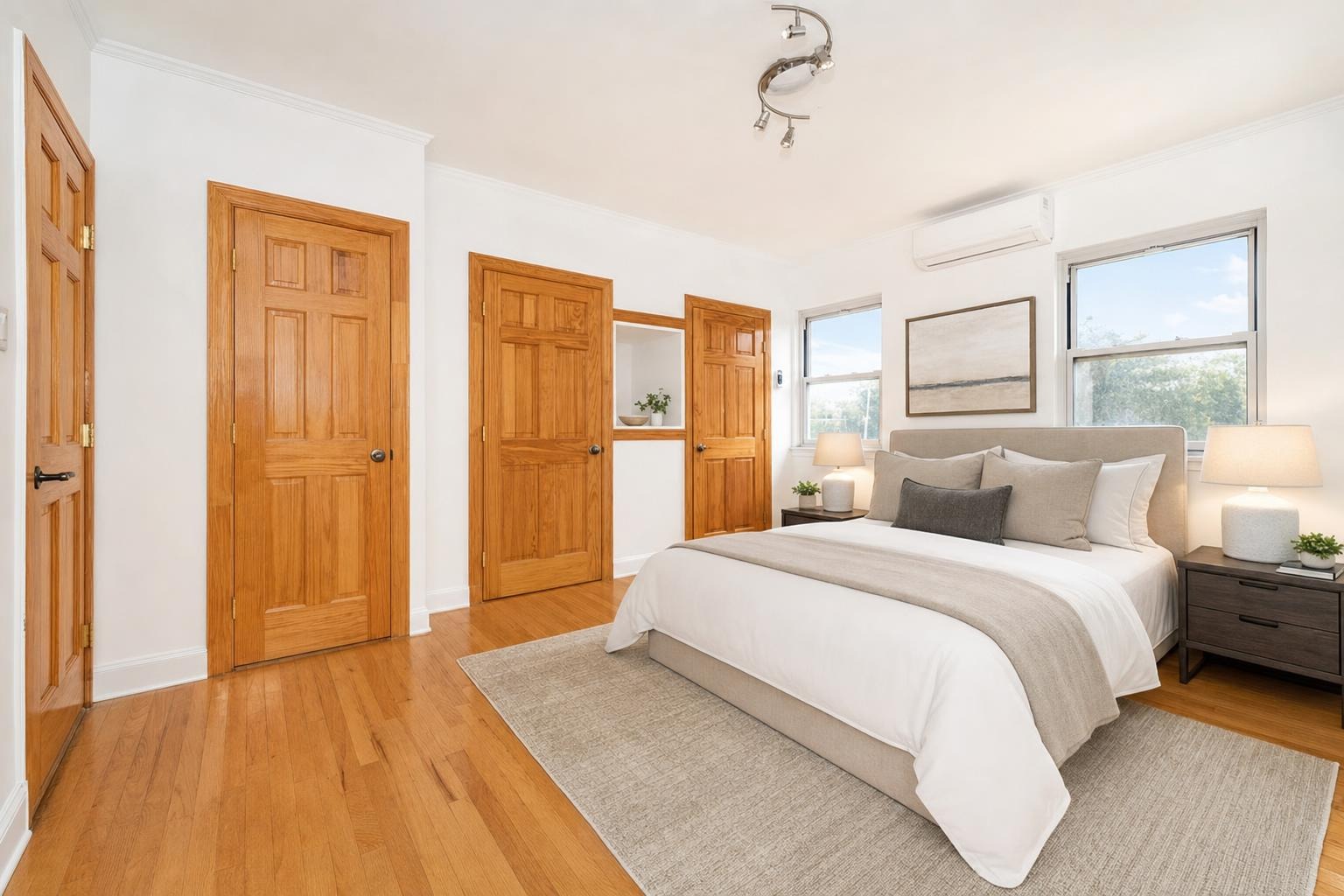
 after · staged
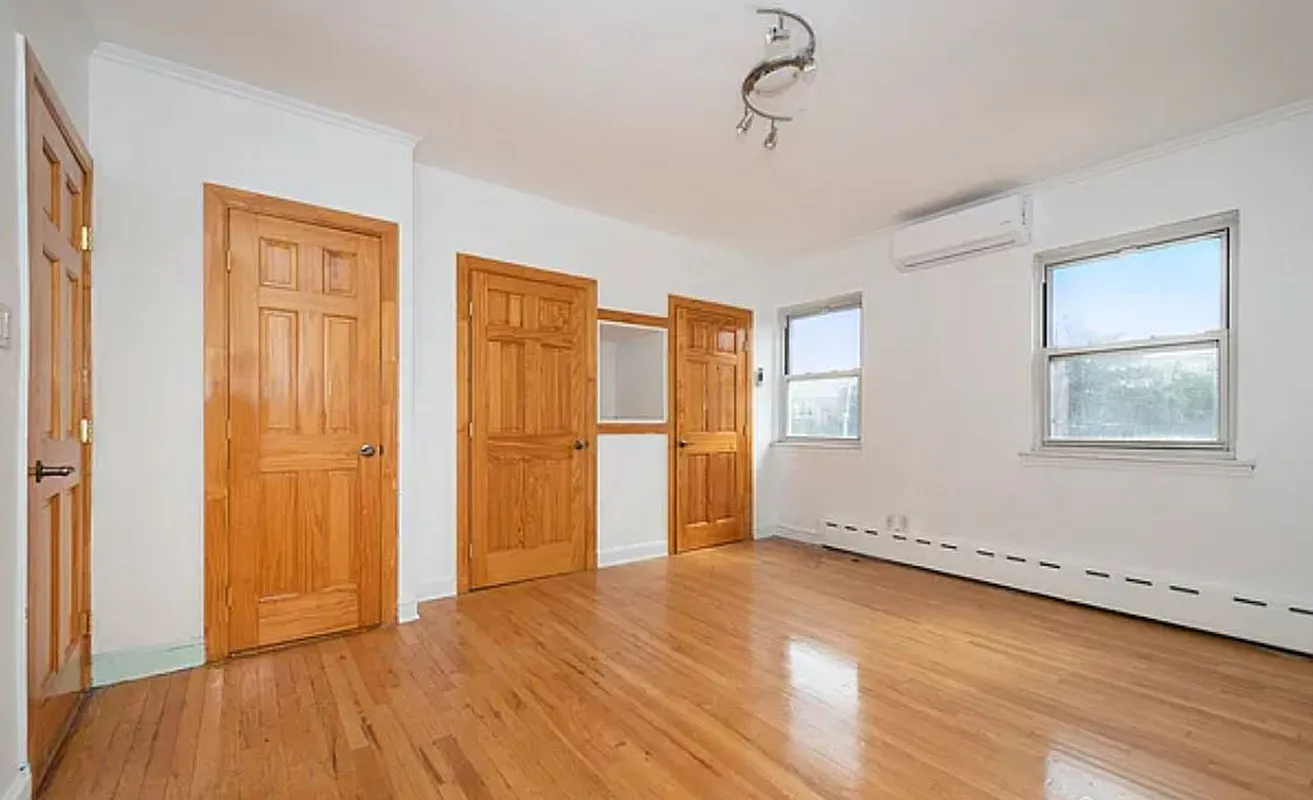
before
after · staged
before
The short version
You finish a job every few weeks and post one photo, which throws away most of what the job already gave you. Shoot a proper last-day list before the trades pack up, fix the mixed lighting, and one finished kitchen becomes six frames and a week of posts that do not repeat themselves.
Every remodeler is in the same trap. The job takes six weeks. On the last day, you're exhausted, the client is walking through, the trades are loading out, and you take one photo of the kitchen from the doorway. You post it. Then your feed goes quiet for a month while you build the next one.
Meanwhile the competitor down the road is posting three times a week off the same volume of work, and to a homeowner scrolling for a contractor, "posts constantly" reads as "busy and in demand." You did the harder job. He looks like the bigger company.
The fix isn't more jobs or a marketing agency. It's ten minutes on the last day and a slightly longer shot list.
The last-day shot list
Before the client walks in and before the trades pack the van, do this. Every item is a separate post later.
- The hero. One wide shot from the best corner of the room, camera at chest height, level. This is the photo that goes everywhere — website, Google Business Profile, the top of the proposal.
- The before match. The same frame you shot on day one, from the same spot. If you didn't take it on day one, you can't take it now — which is why the before shot is the single most valuable ten seconds of the whole project.
- Three details. The mitered corner. The undermount reveal. The tile transition where the floor changes. The inside of a drawer. Details are where a fellow pro and a picky homeowner both look.
- The approach. The view from the hallway or the entry, showing how the room reveals itself when you walk in. Nobody shoots this and it's often the best frame in the house.
- A hands shot. Somebody's hands on the work — adjusting a hinge, wiping a counter. Faces and hands stop a scroll better than empty rooms.
- A vertical of everything. Shoot every frame horizontal and vertical. Horizontal is the website; vertical is Stories and Reels. Cropping a horizontal to 9:16 loses the room.
That's six frames plus verticals, and it takes about ten minutes. It's the same discipline agents use in the listing shot list — the specific rooms differ, the logic doesn't.
The empty-kitchen problem
Here's what nobody warns you about: a just-finished kitchen photographs cold. New cabinets, new counters, nothing on them. No fruit bowl, no stools, no life. It's technically the most beautiful the room will ever be, and it looks like a showroom nobody wants to live in.
Two fixes. The cheap one: put three things on the counter. A cutting board, a bowl, a plant. Thirty seconds, and the room stops reading as a display model.
The other one: stage it digitally. Adding stools, a rug, or a table to the adjacent dining area lets a prospect picture the room in use rather than as an installation. The rules for what actually works in a kitchen frame are in kitchen staging tips — and if you add furniture that isn't there, say so in the caption. "Virtually staged to show the space in use" costs you nothing and protects you completely. The disclosure norms are worth borrowing from the listing world.
The photo you'll wish you had is the one from day one.
Not the demo photos — those are fun but they don't pair with anything. The one you'll want is the original room, from the exact angle of your hero shot, taken before you touched it. Take it on the walkthrough when you're measuring. Mark where you stood with a piece of tape. Six weeks later, stand there again. That's the pair that books the next kitchen.
The week, from one job
One finished kitchen, six frames, and a week of posts that don't repeat themselves:
- Monday — the hero. The wide, cleaned up, with a real caption about what the job actually was. Scope, timeline, one problem you solved.
- Tuesday — the before/after. Two frames, same angle. This is the post that gets shared.
- Wednesday — a detail. Tight, well-lit, one thing. "This is what a $9 hinge does versus a $2 one."
- Thursday — the reveal video. The before/after pair as a short wipe. It's the most-watched format a trade account has, and it takes no editing skill: a before/after reel from one photo.
- Friday — the project reel. Several finished photos stitched into one video that walks through the whole job. Here's how that works.
- The weekend — process. A hands shot, a materials flat-lay, the client's reaction. Doesn't need to be polished.
Nothing here is invented. It's all the same job, sliced.
Fix the light before you post
A finished kitchen shot on a phone under new under-cabinet LEDs, with a window blowing out on one side, comes back murky and orange. That's a light problem, not a work problem. An Enhance pass corrects the exposure and white balance and adds nothing to the room — which is what a photo of real finished work needs. If your gear is still in the frame, Declutter removes it without touching the room. Photo editing basics covers what a simple edit does and doesn't do.
File it so you can find it
The whole point of building a library is answering "have you done a kitchen like mine?" in ten seconds. Put every job in a folder named by project and room type — Kitchens / Harrison St / hero, pair, details — and you can pull three relevant pairs into a text message while you're standing in the prospect's kitchen. That's a closed estimate.
The same library feeds the leave-behind. Three before/after pairs from jobs like theirs, printed on one page, stapled to the estimate. It works better than a spec sheet, and it's the same argument made in renovation photos for contractors.
Where Stylst lands
Stylst runs on your phone in the truck. Enhance the hero, declutter the frame, stage the empty room, and you have the week's posts before you pull out of the driveway. Photos come back in about 30 seconds, $1 each, pay-as-you-go, no subscription, no account on mobile. The reveal reel, the project reel, the AI captions, and the brand kit — your company name, logo, and phone number on a clean strip under the photo — are all free.
If a photo misses, tell us within 24 hours and we'll re-run it free with your feedback; if it still misses, we credit you back. Stage a photo from the last kitchen you finished. And if you're quoting the next one, a renovation preview shows the client the finished room before they sign.
The bottom line
You already own the content. It's sitting inside the job you're finishing this week. Take the before on day one, spend ten minutes on the last day working a real shot list, fix the light, and slice one kitchen into six posts instead of one. Do that on every job and in a year you have a portfolio that closes bids by itself.
Questions people actually ask
What should a remodeler photograph on the last day of a job?
Wide frames of the finished room from two directions, the detail shots that show your actual workmanship, the transitions and edges where the craft is visible, and anything the client specifically asked for. Do it before the client walks in and before the trades load the van, because after that the room is never that clean again.
Why does a just-finished kitchen photograph badly?
Because it is empty and cold. Every surface is bare, nothing is styled, and the room reads as a showroom rather than somewhere a family cooks. The finishes you spent weeks on have nothing to be seen against, which is why a few deliberate props or a staged version outperforms the bare frame.
How do I get a week of content from one job?
Plan the frames rather than the posts. The wide before and after carries one post, each detail shot carries another, the transition or transformation sequence carries a third, and the client's specific request carries a fourth. Six frames from one kitchen is a week that does not repeat itself.