Renovation Preview: Show the Client the Finished Room Before They Sign
Homeowners don't stall on price. They stall because they can't picture it. Put the picture on the table.
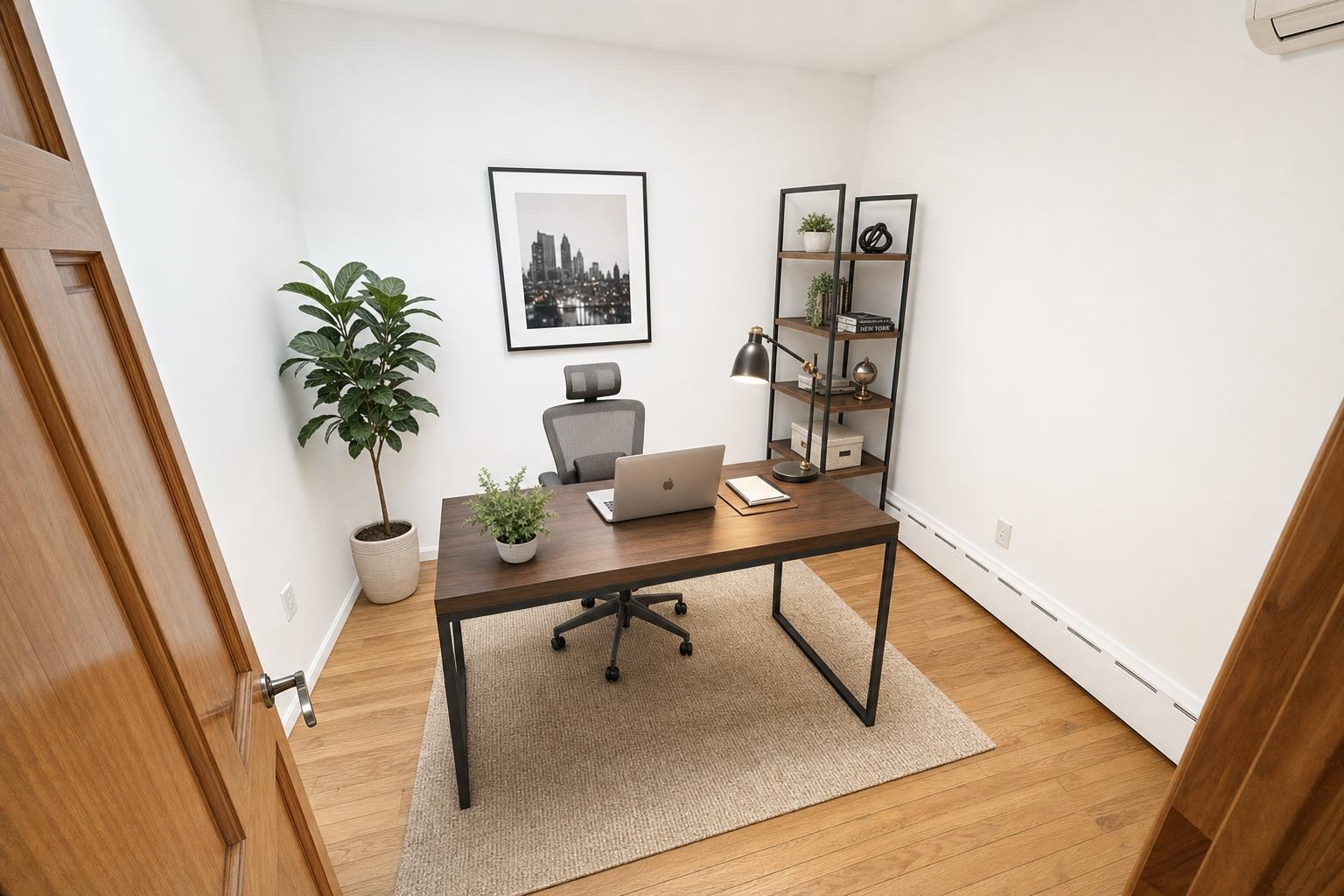
 after · concept
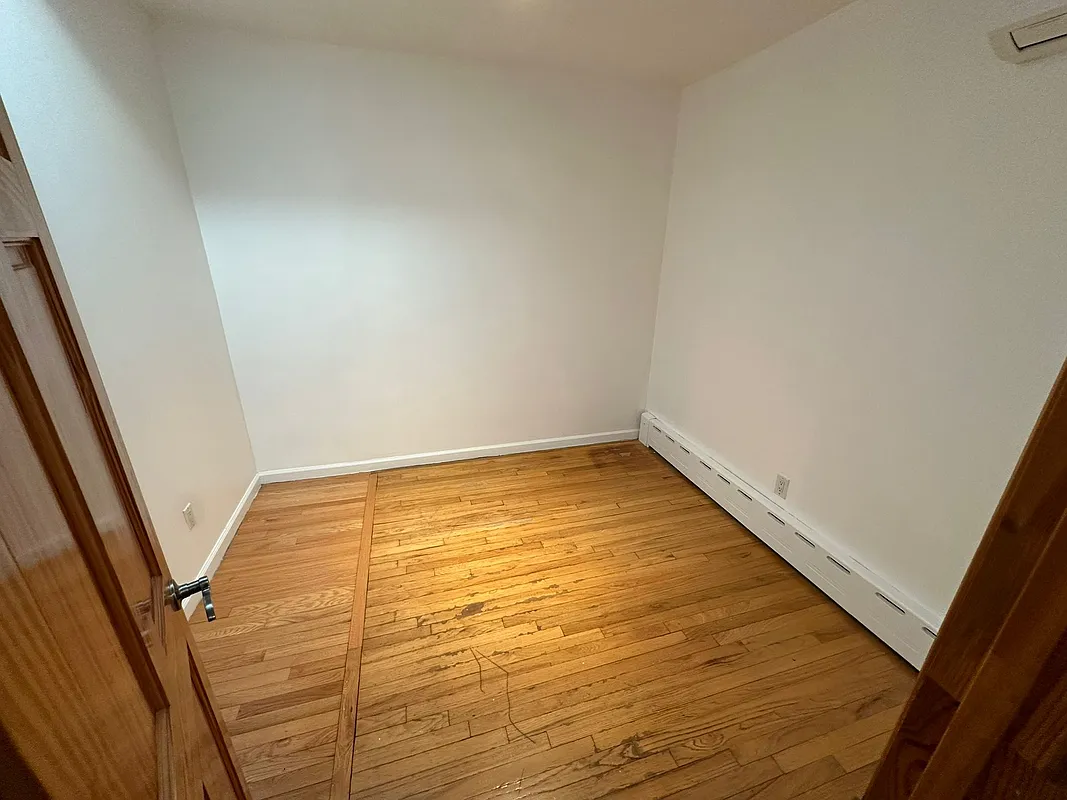
before · the real room
after · concept
before · the real room
The short version
Homeowners rarely stall on price, they stall because they cannot picture it. Photograph their actual room during the walkthrough, show them a concept image of that room, and the conversation changes. The one thing that will cost you the job is not saying clearly that it is a concept, not a promise.
You've sat at this kitchen table. The numbers are fine. The references are good. And the homeowner says the thing they always say: "We just need to think about it."
They're not thinking about your price. They're trying to run a rendering in their head — a rendering of a room they've never seen, built by a company they've never hired, out of materials they can't visualize, for a number that scares them. And they can't do it. So they stall, and then they get two more quotes, and then the project slides to next spring.
The gap you're trying to close isn't a trust gap. It's an imagination gap, and you can close it with a picture.
What a renovation preview actually is
You take a photo of the client's actual room on your phone during the walkthrough. You run it through a renovation preview, and you get back an image of that same room — same windows, same footprint, same doorways — reimagined with new finishes: different cabinets, updated surfaces, a modernized look.
It costs 3 credits in Stylst (about three dollars) and takes about 30 seconds. It's an interior tool. You can generate it standing in the client's driveway before you drive away, or the same evening while you build the estimate. The mechanics are covered in AI renovation preview.
Compare that to the alternative. A full design package from an architect or designer is hundreds or thousands of dollars and takes weeks. It's the right answer for a serious project — but it's not something you can put in front of a homeowner who hasn't signed anything yet. The preview isn't a replacement for design. It's what gets you to the design conversation at all.
Say what it is out loud
This is the whole game, and getting it wrong will cost you more than the job.
A renovation preview is a concept. It is not a design, not a spec, not a rendering of the materials you will actually install, and not a promise. The cabinet doors in the image are not a cabinet line you carry. The counter is not a slab you can order. If a homeowner walks away believing you committed to what they saw on your phone, you have manufactured a dispute for yourself at cabinet install.
So label it, every single time, on the image and out loud:
- On the page: "Concept image for discussion. Not a design or a materials specification. Final layout, finishes, and materials subject to selections, site conditions, and structural review."
- Out loud: "This isn't what I'm promising to build. It's so we can talk about what you want. Tell me what you hate about it."
That sentence — tell me what you hate about it — is the most valuable thing in this article.
Honesty isn't a limitation here. It's the technique.
Presenting the image as a concept is what makes the client comfortable arguing with it, and arguing with it is exactly what you want them to do. A client who says "I don't want open shelving" at the estimate is a client who won't say it at install. The same disclosure logic real estate uses for virtually staged photos applies here — see is virtual staging legal? and the 2026 disclosure rules. Label the image, never hide the label.
Why it closes
Three things happen when you put a concept image on the table.
The client gets something to react to. "What do you want?" is a hard question for a homeowner. "What's wrong with this?" is easy. A picture converts an open-ended, paralyzing decision into a series of small, comfortable edits — and every edit they make is a step deeper into the project.
Disagreement surfaces now, not at install. The couple who wants different things discovers it in front of you, at the estimate, when the fix costs nothing. That conversation is going to happen either way. You want it to happen before the demo, not after the tile is set.
Scope stops drifting. The image anchors what "renovated" means. When you say the number, it now attaches to a specific picture instead of a vague feeling, and the client has something to weigh it against. A big number attached to a vivid outcome is easier to say yes to than a small number attached to nothing.
How to run it at the estimate
- Shoot the room on the walkthrough. Stand in the corner, camera at chest height, level, capture the whole room. Same framing rules as any room photo — a bad input photo makes a bad preview.
- Generate two directions, not one. Run the same room in two styles — say, a warmer traditional take and a cleaner modern one. Two options invite a choice. One option invites a verdict. If style vocabulary isn't your world, the style cheat sheet is worth ten minutes.
- Vet the image before you show it. You are the professional in the room. If the concept moved a load-bearing wall, invented a window, or put a sink where there's no drain, do not show it — or show it and immediately say what's not buildable. Never let a picture write a check your framing crew has to cash.
- Present it as a starting point. Concept, not promise. Then shut up and let them talk.
- Put it in the proposal. The image goes on page one of the PDF, with the disclosure line under it. It also goes in the follow-up email three days later, which is the single best-performing follow-up a remodeler can send.
Where it goes wrong
Three failure modes, all avoidable:
- Selling a finish you can't deliver. If the client falls in love with a specific counter in the image and you can't source anything close, you've created a problem. Name the gap immediately.
- Using it as a design deliverable. It's a sales conversation starter. Charge for design when design begins; don't pretend a concept image is a plan set.
- Skipping the label because it "kills the magic." It doesn't. It builds the trust that makes the rest of the estimate land, and it's the difference between a happy client and a lawyer.
Where Stylst lands
Stylst's Renovation Preview is a phone-app tool: photograph the client's real room, pick a style, and get a concept image of that room back in about 30 seconds. It's 3 credits — roughly three dollars — pay-as-you-go, no subscription required. Every other tool is 1 credit: Enhance for fixing job-site light, Declutter for pulling gear out of frame, Stage for empty rooms.
A three-dollar image against a five-figure bid is not a marketing expense, it's a rounding error — and the interior designers who use the same tool for client concepts arrive at it the same way, as covered in AI staging concepts for designers. If a preview comes back wrong, tell us within 24 hours and we'll re-run it free with your feedback; if it still misses, we credit you back.
Try it on the next room you quote. And once the job is done, the finished-job shot list turns it into a week of content and the next lead.
The bottom line
Homeowners stall because they can't see it. A concept image of their actual room, generated in about 30 seconds and presented honestly as a concept, gives them something to react to, surfaces the disagreements early, and anchors your number to a real outcome. Label it clearly, vet it professionally, and never let it become a promise you didn't make.
Questions people actually ask
How does a renovation preview help close a job?
It removes the imagination gap. A homeowner looking at a swatch and a quote is being asked to picture something, and uncertainty reads as risk. A concept image of their own room makes the decision concrete, moves the conversation from whether to what, and gives them something to show the spouse who is not there.
What do I have to tell the client about a preview?
That it is a concept image showing a style and a direction, not a rendering of what you are contracted to build. Say it out loud, in the meeting, and put it in writing. Getting this wrong costs far more than the job, because a client who believed it was a promise has a genuine grievance later.
When should I show a renovation preview?
At the estimate, while you are still in the room. Photograph the space during the walkthrough, generate the concept before you present the number, and put it on the table alongside the quote. A preview emailed three days later arrives after they have already talked themselves out of it.