
Stage vacant rooms
Add buyer-friendly furniture and decor to an empty living room, bedroom, dining room, office, basement, patio, or entryway.
Use the phone staging app on iPhone or Android, or upload from a browser. Choose a furnishing style and get a checked, listing-ready result in about 30 seconds while Stylst preserves the walls, windows, doors, floors, ceilings, and proportions buyers will actually see.
Unlimited revisions included. Every newly paid or unlocked photo can be refined with the same original photo and tool, with no expiry. A different photo or tool starts a new generation. Free previews must be unlocked first.
Free watermarked preview · No card · About 30 seconds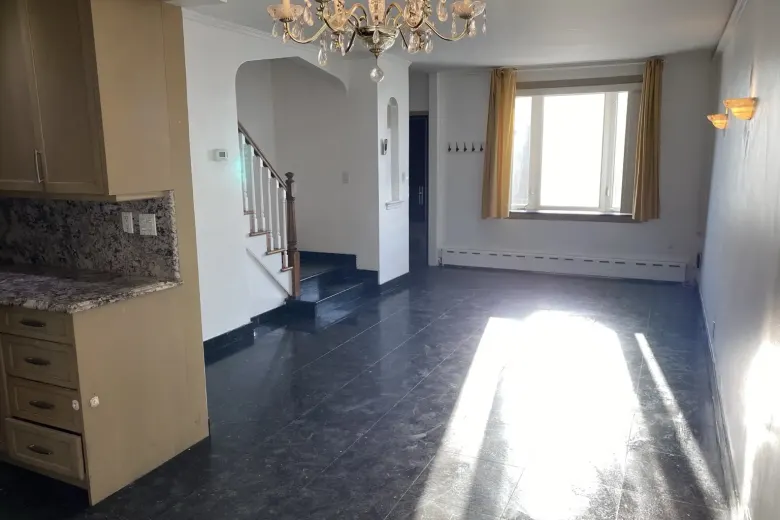
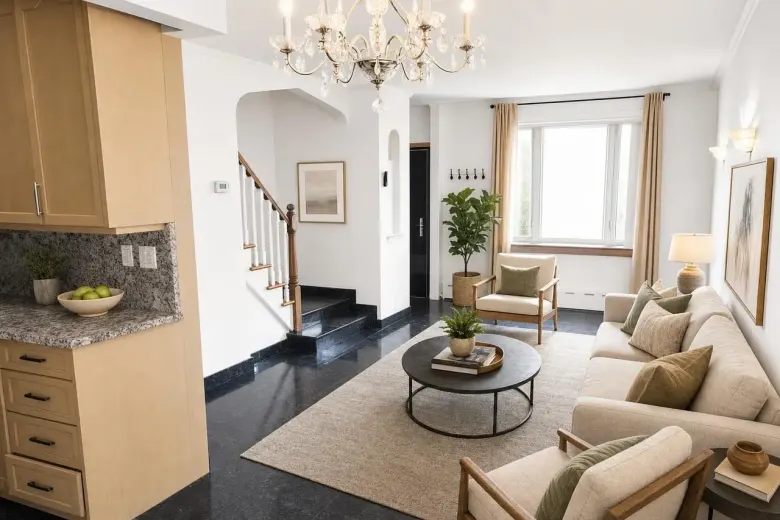
One real property photo. The source stays saved beside the result.
One focused workflow, with the property and the original kept in view.
Add buyer-friendly furniture and decor to an empty living room, bedroom, dining room, office, basement, patio, or entryway.
Compare Modern, Midcentury, Scandinavian, Luxury, Coastal, and Farmhouse on the same room before you spend.
Upload a batch and carry one furniture set across multiple angles so the home reads like one property, not unrelated renders.
The mobile app needs no account. The web flow uses a one-time email code so the finished photo has somewhere to land.
Take a photo or upload the listing you already have.
Confirm the room, review the real example, and add a standing photo rule if needed.
Compare it with the original, download it, or point at anything that needs another pass.
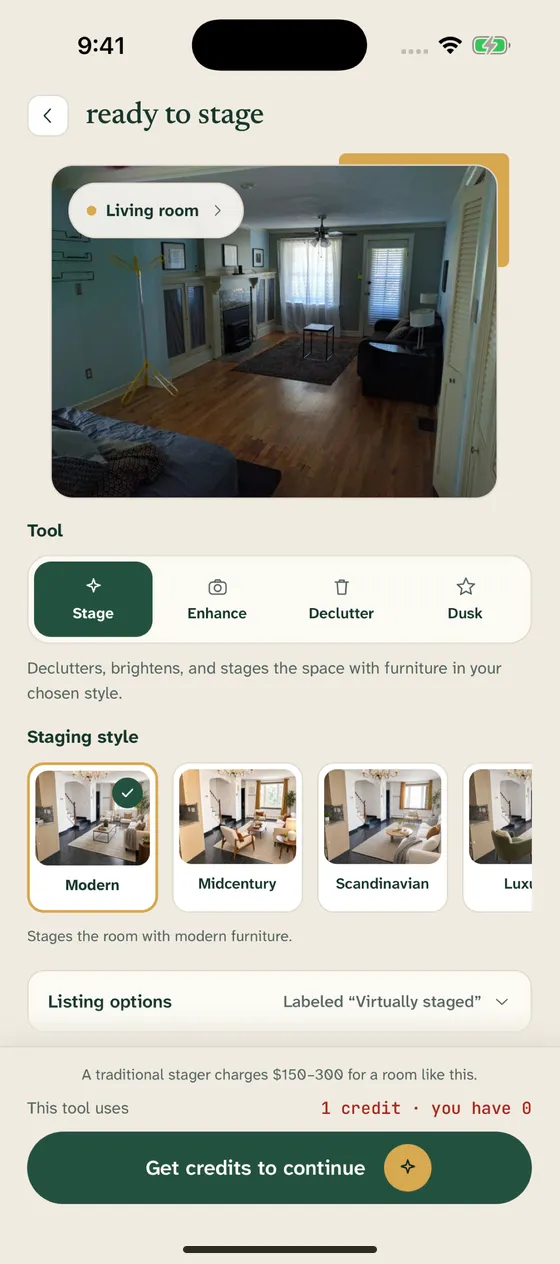
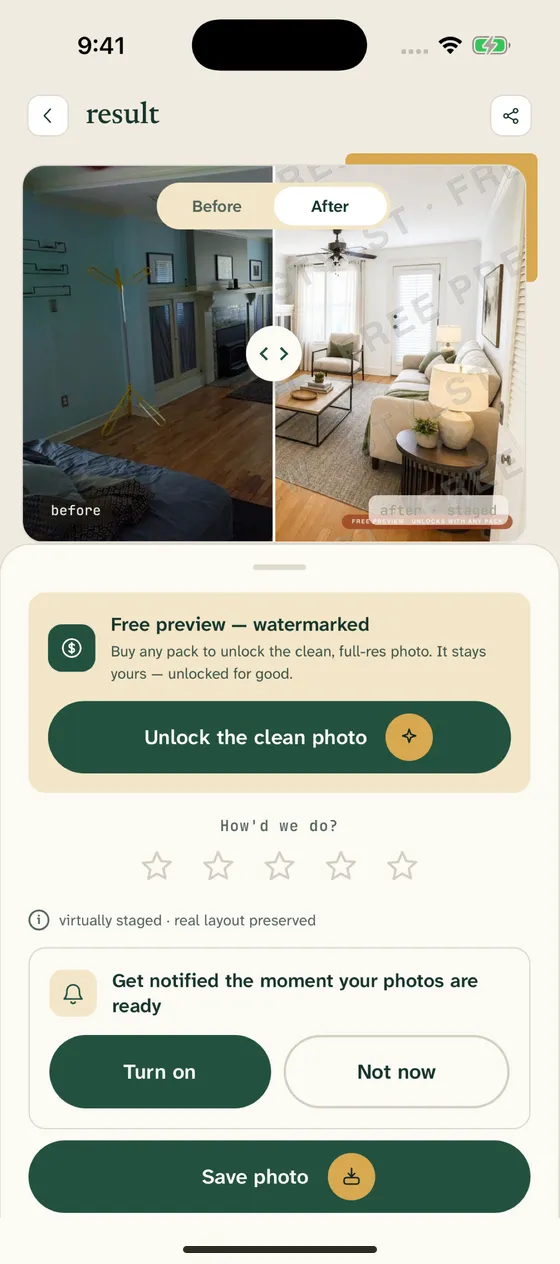
Stage a vacant listing before the photographer handoff becomes a deadline.
Help applicants understand an empty unit without moving rental furniture between turnovers.
Add virtual staging to a shoot without outsourcing a two-day revision loop.
See the first watermarked result before paying. Monthly plans start at $14.99 for 10 photos; one-time packs start at $16.99 for 10 and never renew.
An AI virtual staging app adds furniture and decor to a real room photo while preserving the photographed property. Stylst works on iPhone, Android, and the web, and returns a checked result in about 30 seconds.
Yes. Take a photo in the Stylst app or choose one from your camera roll, select the room and style, and the finished result is saved back to your library.
Stylst is designed to preserve permanent property facts: walls, windows, doors, floors, ceilings, fixtures, proportions, and camera angle. Virtual staging changes movable furnishings and decor.
Usually, yes. Requirements differ by MLS, portal, and jurisdiction. Stylst keeps the original beside the result and can add a Virtually staged label, but agents should check the rule that applies to their listing.
The first watermarked preview is free. Monthly plans start at $14.99 for 10 finished photos, and one-time packs start at $16.99 for 10 photos.
Upload it, see the checked preview, and decide from there.
See my first preview ↗