Airbnb Photo Tips That Don't Break the Accuracy Policy
Guests review against your photos. The honest-editing playbook: what you can absolutely fix, and the three edits that will cost you.
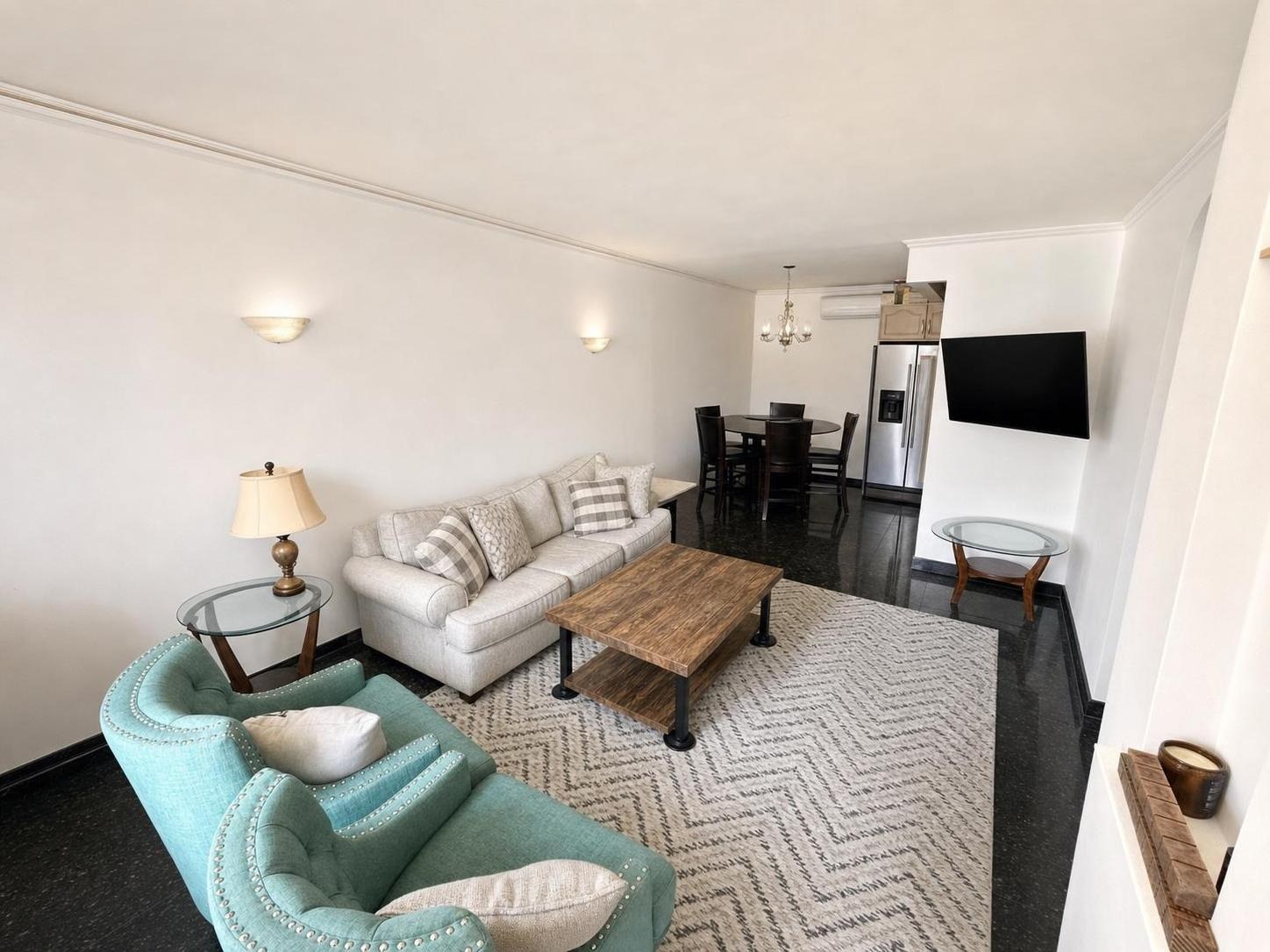
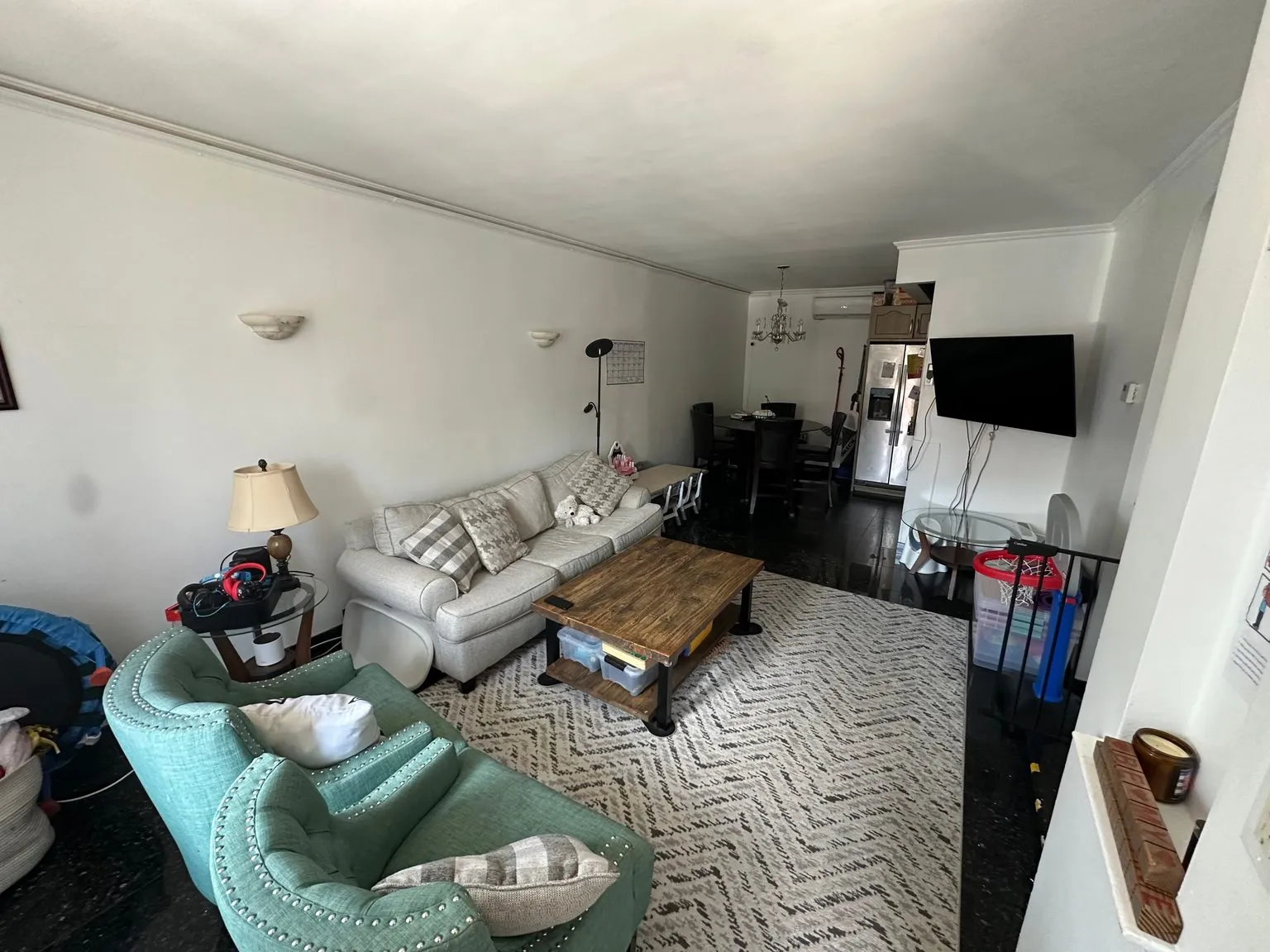 after · decluttered
before
after · decluttered
before
The short version
Guests review against your photos, so the line is not what looks good, it is what stays true. Brightness, color, straightening and decluttering the real room are fine. Removing a permanent feature, faking a view, or adding furniture that is not there will cost you in reviews long before it costs you with the platform.
Short-term rental hosts are in a strange spot in 2026. Every AI photo tool on the market will cheerfully add a sectional to your living room, put a new counter in your kitchen, and hand you back an image of a place you don't own. And the booking platforms — plus every guest who has ever arrived at a listing that didn't match — are pointed the other way. Accuracy is the one thing that isn't negotiable.
The good news is that the honest edits are also the ones that move bookings the most. You don't need to fake anything. You need your real space to stop photographing like a rental listing from 2013.
What the platforms actually expect
The exact wording differs by platform and it changes, so read the current policy on yours. But every major booking site converges on the same three principles, and they have for years:
- Photos must represent the actual space. The rooms in your gallery have to be rooms in the listing the guest is booking — not a different unit you also own, not the model apartment, not a stock photo of "a kitchen like ours."
- The listing can't be materially different from what was advertised. If a guest arrives and the place isn't what the photos and description promised, the platform can move them, refund them, and charge it to you. That is the enforcement mechanism, and it's a real cost.
- No misleading edits, and generally no promotional overlays. Watermarks, logos, text, and collages are usually disallowed on listing photos regardless of accuracy.
Underneath all of that sits the part no policy can enforce: the guest is standing in your living room comparing it to the photo they booked from. That comparison happens every single time.
Green light: the edits that are just good photography
These change the photo, not the space. A camera and a competent editor would have produced them, and the guest still walks into exactly the room they saw.
- Exposure and brightness. Your phone underexposes interiors with a bright window in the frame. Fixing that is not deception; it's correcting the camera's mistake. See real estate photo editing basics.
- White balance and color. Warm bulbs make a room look jaundiced. Correcting it back to what your eye actually saw is the whole point.
- Straightening and lens correction. Vertical lines should be vertical. This is standard practice in every listing photo you've ever seen.
- Removing everyday clutter. Charging cables, laundry, a cleaning caddy, dirty dishes, the toilet brush. None of these are features of the property. You'd remove them before a guest arrived anyway — you're removing them from the frame instead. The full sweep is in the declutter-before-photos checklist.
- Day-to-dusk on the exterior. Your house does look like that at 7pm. Showing it at its best hour is the same thing every real estate photographer does; see day-to-dusk conversion and shooting twilight yourself.
The test that settles every argument.
Would the guest, standing in the room with the photo open on their phone, feel misled? If the honest answer is no — the sofa is that sofa, the room is that size, the light is just better than your phone managed — you're fine. If you have to hope they don't notice, you've crossed the line, and you'll find out in the reviews.
Red light: the three edits that will cost you
1. Adding furniture that isn't there. This is the big one, and it's the default behavior of most "AI staging" apps. A virtually staged living room on an operating rental is a promise you cannot keep. The guest counts the seats, looks for the coffee table, and writes a review about it. If the unit is genuinely unfurnished and you're deciding what to buy, staging is a great planning tool — that's what virtual staging for rentals is actually for. It is not a listing photo.
2. Editing out a real defect. The water stain, the cracked tile, the parking lot outside the bedroom window, the radiator that takes up half the room. Removing it doesn't remove it. It just guarantees the guest's first impression is "they hid this from me."
3. Stretching the space. An extreme wide angle that turns a ten-foot room into a ballroom is technically an honest photo and functionally a lie. Guests write about "much smaller than the pictures" constantly. Shoot wide enough to show the room, not wide enough to invent one — wide-angle photography covers where that line sits, and shooting small spaces shows how to make a genuinely small room look good without distorting it.
If you do stage, disclose it
There are two legitimate reasons to put virtual furniture in a short-term rental photo: you're previewing furniture for a unit that isn't set up yet, or you're showing what an unused space (a bare bonus room, an empty basement) could be for. Both are fine — if you say so. Caption it plainly: "virtually staged to show the layout — this room is currently unfurnished." Real estate has spent a decade building disclosure norms for exactly this, and they transfer cleanly; see virtual staging disclosure rules and is virtual staging legal.
An undisclosed staged photo on a listing that guests are going to physically occupy is the worst version of this technology, and it's why so many hosts are suspicious of AI photo tools in the first place.
The honest playbook, in order
- Tidy the room for real, the way you'd hand it to a guest. Ten minutes here beats any edit.
- Shoot horizontal, in daylight, from a corner, at chest height.
- Enhance: exposure, color, straight lines.
- Declutter whatever you still missed. Furniture stays.
- Day-to-dusk the exterior for your cover shot. (Cover photo guide.)
- Caption anything a guest could misread — the sofa bed, the shared entrance, the two-flight walk-up. Honest captions prevent more bad reviews than good photos do.
Where Stylst lands
Stylst is built for the green-light list. Enhance touches nothing but the photo. Declutter removes the mess and keeps your real furniture. Day-to-dusk works on your real exterior. Staging exists in the app, but for hosts it's a planning tool and we say so — and every staged image carries a disclosure. About a dollar a photo, no subscription, back in about 30 seconds. If a result misses, tell us within 24 hours and we'll re-run it free with your feedback; if it still misses, we credit the photo back to your balance. Hosts start at stylst.app/airbnb.
The bottom line
You are allowed to make your listing look great. You are not allowed to make it look like a different listing. Fix the light, clear the clutter, catch the golden hour, and let the guest walk into the room they booked. That's not a compromise — the honest edits are the ones that actually convert, and they're the only ones that survive the review. Fix a photo the right way.
Questions people actually ask
What photo edits are allowed on Airbnb?
The ones that change the photo rather than the space. Brightening a dim room, correcting color so white walls read white, straightening verticals, and cleaning up the room for real before you shoot are all just good photography. None of them change what a guest will find when they open the door.
What photo edits will get an Airbnb listing in trouble?
Three: removing something permanent that a guest would care about, such as a road, a neighbouring wall or a fixture; faking or enhancing a view that is not there; and adding furniture or amenities the unit does not actually have. All three are the same mistake, which is editing the space rather than the photograph of it.
Can I virtually stage a short-term rental listing?
There are two honest reasons to. You are previewing furniture for a unit that is not set up yet, or you are showing what an unused space could be used for. Both need a clear label so a guest reads it as a preview rather than a promise, and neither belongs on your cover photo.